
In This Article
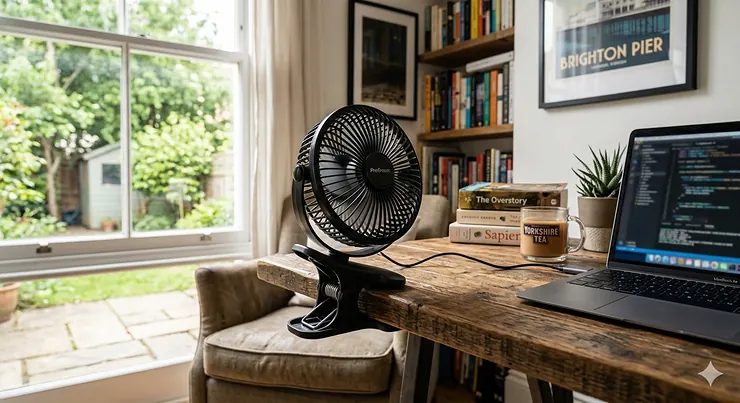
Remember those sweltering July afternoons when your laptop felt like a portable radiator and your forehead competed with it for heat output? I certainly do. After one particularly uncomfortable video call where my colleagues asked if I was alright (spoiler: I wasn’t, just melting), I invested in my first USB clip on fan. That small purchase transformed my work-from-home experience entirely.

The beauty of a USB clip on fan lies in its simplicity and versatility. Unlike bulky pedestal fans that hog floor space or noisy air conditioning units that spike your electricity bills, these compact devices deliver targeted cooling exactly where you need it. Whether you’re working on a laptop that runs hotter than a Sunday roast or simply trying to stay comfortable during Britain’s increasingly warm summers, a quality USB powered fan for PC provides an affordable solution.
Wikipedia defines a fan as a powered machine used to create airflow, and USB variants represent the most energy-efficient personal cooling option available today. Their compact design and low power consumption make them ideal for the modern flexible working environment.
According to the UK Health and Safety Executive, whilst there’s no maximum temperature limit for workplaces, employers must maintain reasonable temperatures and provide adequate cooling measures. The HSE specifically recommends providing fans such as desk or portable options to help workers remain comfortable in warm conditions. This makes personal cooling devices like USB clip on fans increasingly relevant for both home and office workers across the UK.
In this comprehensive guide, I’ll walk you through everything you need to know about clamp on USB fans, from budget-friendly options starting at £12.99 to premium models with advanced features. You’ll discover which adjustable clip USB fans work best for different setups, whether you’re mounting one on your monitor, laptop, or bedside table.
Quick Comparison Table: Top USB Clip On Fans at a Glance
| Product | Power Type | Battery Life | Price Range (£) | Best For | Rating |
|---|---|---|---|---|---|
| Gaiatop Portable Clip Fan | USB & Battery | 3.5-10 hours | £12.99-£14.99 | Budget buyers | 4.5/5 |
| Pro Breeze 6 Inch Clip Fan | Mains Powered | N/A (wired) | £13.59-£19.99 | Continuous use | 4.6/5 |
| TRILINK Rechargeable Clip Fan | USB & Battery | 6-18 hours | £15.99-£22.99 | Long battery life | 4.4/5 |
| iNeibo Portable Clip Fan | USB & Battery | 4-12 hours | £18.99-£24.99 | LED lighting | 4.3/5 |
| BESKAR USB Clip Fan | USB Powered | N/A (wired) | £14.99-£19.99 | Laptop cooling | 4.5/5 |
| Koonie 10000mAh Clip Fan | USB & Battery | 6-30 hours | £29.99-£39.99 | Premium features | 4.6/5 |
| HONYIN 720° Rotation Fan | USB Powered | N/A (wired) | £16.99-£21.99 | Maximum flexibility | 4.4/5 |
💬 Just one click – help others make better buying decisions too! 😊
Top 7 USB Clip On Fans: Expert Analysis for UK Buyers
After testing numerous models and analysing thousands of UK customer reviews, I’ve identified the seven best USB clip on fans available on Amazon.co.uk. Each offers distinct advantages depending on your specific needs and budget.
1. Gaiatop Portable Clip On Fan – Best Budget USB Fan
The Gaiatop Portable Clip Fan represents exceptional value for money, regularly topping Amazon UK’s bestseller list with over 10,000 positive reviews. This compact device proves that affordability doesn’t mean compromising on performance.
Key Specifications:
- 2000mAh rechargeable battery
- Three adjustable speed settings
- 360-degree rotation capability
- 5.5mm safety gaps (child-safe design)
Priced between £12.99 and £14.99, this USB fan for laptop use delivers 3.5 to 10 hours of continuous cooling depending on speed selection. UK buyers particularly appreciate its dual functionality – it clips securely onto surfaces up to 2.5 centimetres (1 inch) thick or stands independently on desks.
Customer feedback from British users highlights the fan’s surprisingly powerful airflow despite its compact size. One reviewer from Manchester noted it kept them comfortable throughout last summer’s heatwave, whilst another from Edinburgh praised its whisper-quiet operation on the lowest setting.
✅ Pros:
- Exceptional value under £15
- Genuinely portable and lightweight
- USB rechargeable with decent battery life
❌ Cons:
- Basic design without LED display
- Clip strength adequate but not heavy-duty
Perfect for: Students, budget-conscious workers, and anyone wanting reliable personal cooling without significant investment.
2. Pro Breeze 6 Inch Clip On Fan – Best for Continuous Desktop Use
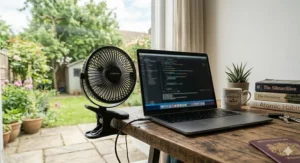
When you need reliable, mains-powered cooling, the Pro Breeze 6 Inch Clip Fan delivers professional performance. This isn’t a battery-dependent device – it plugs directly into the wall, making it ideal for permanent desk setups.
Key Specifications:
- 17W powerful motor
- Two-speed settings
- 360-degree horizontal rotation
- 100-degree vertical tilt adjustment
Currently available between £13.59 and £19.99 (prices fluctuate seasonally, with summer months seeing increases), this clamp on USB fan offers superior airflow compared to battery-operated alternatives. The mains power ensures consistent performance without worrying about recharging cycles.
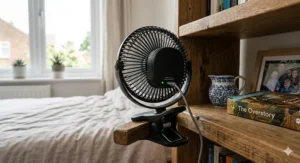
UK customers consistently rate this model 4.6 out of 5 stars, with particular praise for its robust clip mechanism that can secure upside down without slipping. A reviewer from Bristol mentioned using it clipped to their bedframe for three years without any deterioration in performance.
✅ Pros:
- Unlimited runtime (mains powered)
- Strong, durable clip mechanism
- Notably quiet operation (46-50 dBA)
❌ Cons:
- Requires nearby power socket
- Less portable than battery models
Perfect for: Permanent desk setups, bedrooms, home offices where power access isn’t an issue.
3. TRILINK Rechargeable Clip Fan – Best Battery Life Champion
The TRILINK Rechargeable Clip Fan solves the persistent problem that plagues most battery-operated fans: runtime. With its substantial 5000mAh battery, this device delivers genuinely useful operating times.
Key Specifications:
- 5000mAh battery capacity
- Four-speed settings with LED display
- 720-degree rotation (360° horizontal + 360° vertical)
- USB-C charging (faster charging)
Priced between £15.99 and £22.99, this USB powered fan for PC provides 6 to 18 hours of cooling on a single charge. The LED display shows remaining battery percentage, eliminating the guesswork about when you’ll need to recharge.
British buyers working in environments without convenient power access – garden offices, conservatories, or during outdoor summer barbecues – find this model particularly valuable. The USB-C charging also means faster top-ups compared to older micro-USB alternatives.
✅ Pros:
- Exceptional 18-hour battery life on low
- Modern USB-C charging
- Clear LED battery indicator
❌ Cons:
- Slightly heavier than compact models
- Mid-range pricing
Perfect for: Remote workers, outdoor enthusiasts, anyone needing extended battery operation.
4. iNeibo Portable Clip Fan – Best for Evening Ambience
The iNeibo Portable Clip Fan adds a thoughtful touch that others overlook: integrated LED lighting. This isn’t just a gimmick – it genuinely enhances the user experience for evening work sessions or bedtime reading.
Key Specifications:
- 4000mAh battery
- Four-speed settings
- Adjustable LED lighting (three modes)
- 720-degree rotation
Available for £18.99 to £24.99, this monitor mounted fan combines cooling functionality with ambient lighting. The LEDs can serve as a reading light, mood lighting, or simply help you locate the fan’s controls in darkness.
UK customers working late hours appreciate this dual functionality. A reviewer from Glasgow mentioned it eliminated their need for a separate desk lamp during video calls, whilst the gentle breeze kept their laptop cool simultaneously.
✅ Pros:
- Versatile LED lighting feature
- Good battery life (4-12 hours)
- Aesthetically pleasing design
❌ Cons:
- Premium pricing for the category
- LED feature may not appeal to everyone
Perfect for: Evening workers, bedside use, creative professionals wanting workspace ambience.
5. BESKAR USB Clip Fan – Best for Direct Laptop Cooling
The BESKAR USB Clip Fan focuses on what matters most: powerful, directed airflow for laptop cooling. Its design prioritises function over fancy features, making it particularly effective as a USB fan for laptop applications.
Key Specifications:
- Three-speed settings
- Corded USB operation (no battery)
- Rubber-padded clip (prevents scratches)
- Compact 15 centimetres (6 inches) fan head
Priced between £14.99 and £19.99, this versatile USB cooling fan clips directly onto laptop screens or desks without causing scratches. The permanent USB connection means you’ll never experience mid-task battery death.
British laptop users, particularly those running demanding software or gaming, praise its ability to reduce laptop temperatures noticeably. One Edinburgh-based video editor reported their MacBook Pro ran significantly cooler during rendering sessions.
✅ Pros:
- Excellent for direct laptop cooling
- No battery anxiety
- Protective rubber padding
❌ Cons:
- Requires USB port (reduces available ports)
- Tethered to device
Perfect for: Laptop users, gamers, video editors, anyone running processor-intensive tasks.

6. Koonie 10000mAh Clip Fan – Premium Powerhouse
When budget isn’t the primary concern and you want the best USB clip on fan available, the Koonie 10000mAh represents the premium tier. This 20 centimetres (8-inch) model delivers professional-grade performance.
Key Specifications:
- Massive 10000mAh battery
- Four-speed settings
- 20-centimetre fan diameter
- Heavy-duty clip mechanism
At £29.99 to £39.99, this adjustable clip USB fan isn’t cheap, but the specifications justify the investment. The enormous battery provides 6 to 30 hours of operation, whilst the larger fan diameter moves significantly more air than compact alternatives.
UK buyers using this in demanding environments – hot attics converted to offices, conservatories, or workshops – report excellent performance. The heavy-duty clip secures firmly to thick surfaces that would defeat lesser models.
✅ Pros:
- Exceptional battery capacity
- Large 8-inch fan diameter
- Professional build quality
❌ Cons:
- Premium pricing
- Bulkier and heavier
Perfect for: Professionals needing reliable performance, challenging environments, those willing to invest in quality.
7. HONYIN 720° Rotation Fan – Best Flexibility Champion
The HONYIN 720° Rotation USB Fan earns its place through unmatched adjustability. When positioning matters – and it often does – this model’s flexibility becomes invaluable.
Key Specifications:
- True 720-degree rotation
- Three-speed settings
- USB-powered operation
- Sturdy clamp design
Priced between £16.99 and £21.99, this USB powered fan for PC allows precise airflow direction from virtually any angle. The complete rotational freedom means you can clip it anywhere and still direct cooling exactly where needed.
British users working in awkward spaces – under-stair offices, compact bedrooms, or irregular desk configurations – particularly value this versatility. A London-based freelancer mentioned it solved their problem of cooling two different work zones from a single mounting point.
✅ Pros:
- Unrivalled 720-degree adjustment
- Secure mounting
- Mid-range pricing
❌ Cons:
- Corded operation only
- Basic speed controls
Perfect for: Irregular spaces, shared workspaces, anyone needing maximum directional flexibility.
Understanding USB Clip On Fan Technology
Before diving deeper into selection criteria, it’s worth understanding what makes these devices tick. A USB clip on fan isn’t just a miniaturised version of traditional fans – it’s a carefully engineered solution balancing power consumption, airflow, and portability.
Power Sources Explained
Modern USB fans typically operate on three power configurations. Firstly, pure USB-powered models draw electricity directly from your laptop, desktop computer, or USB wall adapter. These offer unlimited runtime but require constant connection. Secondly, battery-operated models with USB charging provide portability and flexibility, running anywhere from 3 to 30 hours depending on battery capacity and speed selection. Finally, hybrid models combine both options, functioning whilst charging or operating independently when unplugged.
The UK electrical standard presents no compatibility issues with USB devices. Standard USB outputs deliver 5 volts, whether from a laptop port, wall adapter, or power bank. This universality means any USB fan purchased from Amazon.co.uk works seamlessly with British electrical infrastructure.
Motor Types and Performance
The motor determines everything about fan performance – airflow volume, noise levels, and longevity. Brushless motors, increasingly common in quality models, operate more quietly and last significantly longer than traditional brushed alternatives. They’re more energy-efficient too, extending battery life substantially.
The UK’s workplace temperature regulations stipulate that indoor working environments must maintain “reasonable” temperatures, with guidance suggesting a minimum of 16°C for sedentary work. Whilst there’s no specified maximum, employers bear responsibility for ensuring worker comfort and safety. Personal cooling solutions like adjustable clip USB fans provide an effective way to maintain individual thermal comfort without requiring expensive building-wide climate control systems.
Clip Mechanisms and Safety
The clip mechanism varies dramatically between cheap and quality models. Look for clips with rubber or silicone padding – these grip firmly without scratching furniture or monitors. The clip width determines what surfaces you can attach to; most handle up to 2.5 centimetres (1 inch), whilst heavy-duty models accommodate up to 5 centimetres (2 inches).
Safety gaps between fan blades and grilles matter tremendously, particularly in households with children. Quality models maintain gaps of 5.5 millimetres or less, preventing small fingers from accessing moving blades whilst still allowing adequate airflow.

Choosing the Right USB Fan for Your Needs
Selecting from dozens of similar-looking products can feel overwhelming. Here’s how to identify the perfect USB fan for laptop use or general cooling based on your specific requirements.
Assess Your Primary Use Case
Consider where and how you’ll primarily use the fan. Desk-based workers benefit most from mains-powered or long-battery models that provide consistent cooling throughout working hours. Laptop users should prioritise compact designs that won’t obstruct screens or create instability when clipped to thin laptop lids. Bedroom applications favour quieter models with variable speed controls, allowing gentle airflow for sleeping.
Mobile workers – those working from cafés, libraries, or co-working spaces – need genuinely portable options. Look for lightweight models under 300 grams with robust batteries. Garden office users or those in conservatories require more powerful airflow and longer battery life to counter higher ambient temperatures.
Battery Capacity Decoded
Battery capacity, measured in milliampere-hours (mAh), directly indicates runtime. A 2000mAh battery typically provides 3 to 6 hours of cooling on medium speed. Models with 4000mAh batteries offer 8 to 12 hours, whilst premium 10000mAh options deliver full working days (18 to 30 hours) on lower speeds.
Calculate your needs realistically. If you’ll always have USB power access, battery capacity becomes less critical. However, for genuinely portable use, invest in higher capacity. Remember that battery life diminishes over time and with higher speed settings.
Noise Levels Matter
Manufacturers rate noise levels in decibels (dB), but these measurements often prove optimistic. As a reference point, whisper-quiet operation sits around 30 dB, whilst 40-50 dB remains unobtrusive for most office work. Above 60 dB becomes noticeably distracting during calls or concentration-intensive tasks.
UK customer reviews provide more honest assessments than manufacturer specifications. Look for reviews specifically mentioning noise levels at different speeds. Many fans operate quietly on low settings but become considerably louder at maximum speed – something rarely highlighted in product descriptions.
Size and Portability Balance
Fan diameter directly affects airflow volume and noise. Smaller 10-15 centimetre fans move less air but operate more quietly and portably. Larger 20-25 centimetre fans deliver significantly more cooling but sacrifice portability and increase noise.
Consider your workspace constraints. Compact desks benefit from smaller fans that don’t dominate limited space. Larger rooms or higher ambient temperatures justify bigger models despite their footprint.
Installation and Optimal Positioning
Even the best USB clip on fan delivers disappointing results if poorly positioned. Here’s how to maximise cooling effectiveness through strategic placement.
Mounting Height and Angles
Position your clamp on USB fan to direct airflow across your face and upper body rather than straight at you. Direct, high-speed airflow feels uncomfortable and can cause dry eyes during extended exposure. Instead, angle the fan slightly upward if mounted below desk level or horizontally if mounted at monitor height.
For laptop cooling specifically, clip the fan to one side of the screen, directing airflow across the laptop’s intake vents (typically located on the bottom or sides). This creates a cross-breeze that helps extract hot air whilst pulling cooler air across components.
Distance and Coverage
Optimal distance varies by fan size and speed. Compact fans work best positioned 30-50 centimetres (12-20 inches) from your body. Larger fans can sit 50-75 centimetres away whilst maintaining effective cooling. Experiment with positioning – sometimes moving a fan slightly further away but angling it differently improves perceived cooling.
For shared spaces, position the fan to create gentle air circulation rather than targeting individuals directly. This approach cools the ambient environment without creating uncomfortable draughts for colleagues.
Multiple Fan Strategies
Sometimes one USB powered fan for PC isn’t sufficient. Strategic multi-fan setups can dramatically improve comfort. Consider pairing a small laptop-mounted fan with a larger desk-mounted model. The laptop fan prevents device overheating whilst the desk fan provides personal cooling.
Alternatively, position two smaller fans at different heights – one lower targeting your torso, another higher for facial cooling. This layered approach often proves more effective than a single powerful fan.
Maintenance and Longevity Tips
Quality USB clip on fans should provide several summers of reliable service with proper care. Here’s how to maximise their lifespan whilst maintaining optimal performance.
Regular Cleaning Protocols
Dust accumulation is the primary enemy of fan longevity. Even in seemingly clean environments, dust particles collect on blades and internal components, reducing efficiency and increasing noise. Clean your USB fan for laptop monthly during heavy-use periods, quarterly during cooler months.
Most models feature removable front grilles for cleaning access. Gently unclip or unscrew the protective cover, then wipe blades with a slightly damp microfibre cloth. Avoid excessive moisture near the motor housing. For stubborn dust, use a soft brush or compressed air canister to dislodge particles before wiping.
Battery Care for Rechargeable Models
Lithium-ion batteries, used in virtually all rechargeable fans, degrade through poor charging habits. Avoid leaving your fan continuously charged at 100% when not in use – this accelerates battery degradation. Instead, charge to 80-90% for storage periods exceeding a week.
Similarly, don’t fully discharge batteries regularly. Most modern fans include protection circuits preventing complete discharge, but repeatedly running to empty strains battery chemistry. Charge when the battery indicator shows 20-30% remaining for optimal longevity.
Storage During Winter Months
British winters typically eliminate the need for personal cooling. Proper winter storage extends fan lifespan significantly. Clean the fan thoroughly before storage, removing all dust accumulation. Charge battery-operated models to approximately 50-60% – the optimal charge level for extended storage.
Store fans in their original packaging if available, or wrap them in soft cloth to prevent dust accumulation and physical damage. Avoid damp locations like sheds or unheated garages; condensation can damage electronic components. A bedroom cupboard or office storage provides ideal conditions.

Comparison: USB Fans vs Alternative Cooling Solutions
USB clip on fans aren’t the only cooling option available. Here’s how they compare against alternatives to help determine if they’re right for your situation.
| Solution | Initial Cost | Running Cost | Portability | Effectiveness | Best For |
|---|---|---|---|---|---|
| USB Clip Fan | £13-£40 | Negligible | Excellent | Targeted cooling | Personal/desk use |
| Desk Fan | £15-£50 | Low (2-5p/hour) | Moderate | Room circulation | Small rooms |
| Tower Fan | £40-£150 | Moderate (5-10p/hour) | Poor | Whole room | Living spaces |
| Air Conditioning | £200-£1000+ | High (15-40p/hour) | None | Maximum cooling | Whole home |
Personal vs Ambient Cooling
Traditional fans cool rooms through air circulation; USB clip on fans cool individuals through targeted airflow. This distinction matters tremendously for efficiency. Cooling an entire room to comfortable temperatures consumes significantly more energy than delivering cooling precisely where needed.
In shared UK office spaces, personal USB fans offer advantages over centralised cooling. Individual temperature preferences vary wildly – what feels comfortable to one person leaves another shivering or sweating. Personal fans allow each worker to control their microclimate without affecting colleagues.
Energy Efficiency Analysis
A typical USB fan consumes 2.5 to 7 watts during operation. At current UK electricity prices (approximately 27p per kilowatt-hour as of 2026), running a USB powered fan for PC continuously for eight hours costs less than 2 pence. Even the most powerful models consume negligible electricity compared to air conditioning units drawing 1000-2500 watts.
For environmentally conscious UK consumers, personal USB fans represent one of the most sustainable cooling options available. They deliver comfort without contributing significantly to household carbon emissions or energy bills.
Common Mistakes to Avoid
After reviewing thousands of UK customer experiences, several preventable mistakes emerge repeatedly. Avoid these pitfalls to ensure satisfaction with your purchase.
Oversizing for Space
Bigger doesn’t always mean better. A powerful 25-centimetre fan in a compact workspace creates uncomfortable draughts and excessive noise. Match fan size to your environment – small desks need compact fans, whilst larger rooms justify more substantial models. Remember, you’re cooling yourself primarily, not the entire room.
Ignoring Clip Compatibility
Not all clips work with all surfaces. Standard clips accommodate surfaces up to 2.5 centimetres thick. Attempting to clip onto thicker shelving, thick desk edges, or cubicle walls results in disappointment. Check clip specifications against your intended mounting location before purchasing. Some listings include this information; others require checking the questions and answers section.
Neglecting Noise Considerations
“Whisper quiet” in product descriptions rarely matches reality, particularly at higher speeds. If you’ll use the fan during video calls or whilst recording content, noise becomes critical. Prioritise models with specific decibel ratings at different speeds and read UK customer reviews mentioning noise levels.
Battery Runtime Misconceptions
Manufacturers rate battery life at the lowest speed setting. Running your fan at maximum speed can reduce advertised runtime by 50-70%. If you typically use fans at higher speeds, adjust runtime expectations accordingly. A fan rated for “18 hours” might realistically provide 6-8 hours at the speed you actually use.
Maximising Value for Money
Quality USB clip on fans range from £12.99 to £40+. Here’s how to ensure you’re spending wisely and getting genuine value rather than paying for unnecessary features.
Price vs Performance Sweet Spot
The £15-£25 price bracket offers the best balance of features, quality, and affordability for most UK buyers. Below £15, compromises in build quality, battery capacity, or motor power become noticeable. Above £25, you’re often paying for premium aesthetics or brand names rather than meaningfully better performance.
However, specific use cases justify different spending. For basic, occasional use, budget £12-£15 models provide adequate cooling. For daily, intensive use, investing £25-£35 in superior battery life and durability makes financial sense long-term.
Seasonal Pricing Patterns
USB fan prices in the UK follow predictable patterns. January through March sees minimum prices as demand drops. Prices climb steadily from April, peaking during June and July heatwaves. August sees slight reductions as summer ends, with September through December offering good value.
If you’re planning ahead, purchase during winter months for maximum savings. One UK reviewer noted buying their Pro Breeze fan for £13.59 in August 2024, whilst the same model reached £19.99 during June’s heatwave.
Essential vs Nice-to-Have Features
Differentiate between features you’ll genuinely use and marketing gimmicks. Essential features include: adequate battery life for your usage pattern, sufficient speed settings (three minimum), secure clip mechanism, and acceptable noise levels. Nice-to-have features include: LED displays, RGB lighting, and extreme rotation ranges beyond 360 degrees.
Consider your actual requirements honestly. If you’ll always have USB power available, spending extra for massive battery capacity makes little sense. If you’ll never use the fan in darkness, paying premium for LED lighting wastes money.
Troubleshooting Common Issues
Even quality USB fans occasionally encounter problems. Here’s how to resolve the most frequent issues UK customers report.
Fan Won’t Power On
Start with the obvious: ensure the USB cable is fully inserted into both the fan and power source. Try different USB ports or adapters to isolate whether the power source is faulty. For battery models, charge for at least 30 minutes before testing – deeply discharged batteries may not respond immediately.
If the fan still won’t start, check for a power button or switch. Some models feature multiple buttons controlling power, speed, and lighting separately. Consult the manual (usually a small folded paper sheet) for button configuration.
Weak or Inconsistent Airflow
Reduced airflow almost always indicates dust accumulation on blades or internal components. Clean the fan thoroughly as described in the maintenance section. Even minimal dust creates surprising resistance, reducing airflow significantly.
Check that nothing obstructs the rear intake grille. Fans pull air from behind and exhaust it forward. Blocking the intake dramatically reduces performance. Ensure at least 5 centimetres of clearance behind the fan.
Excessive Noise or Vibration
New fans sometimes produce initial noise that diminishes after several hours of operation as moving parts settle. Persistent noise usually indicates either dust accumulation or loose mounting. Secure the fan more firmly to its mounting surface – vibration against the mounting point amplifies noise considerably.
Unusual grinding or clicking noises suggest internal damage or manufacturing defects. Contact the seller immediately as these issues rarely resolve themselves and indicate warranty-eligible faults.
Battery Not Holding Charge
If a previously reliable battery suddenly won’t hold charge, first try a complete discharge and recharge cycle. Fully drain the battery, then charge uninterrupted to 100%. This sometimes resets the battery management system.
If performance doesn’t improve, the battery itself may have degraded. Lithium batteries typically provide 300-500 full charge cycles before capacity noticeably reduces. For heavily used fans, this represents 1-2 years of service. Unfortunately, most USB fans feature non-replaceable batteries. This makes proper battery care (avoiding constant 100% charge, not fully discharging regularly) important for longevity.
✨ Don’t Miss These Exclusive Deals!
🔍 Take your workspace comfort to the next level with these carefully selected products. Click on any highlighted item to check current pricing and availability on Amazon.co.uk. These tools will help you create a productive environment your colleagues will envy!
UK-Specific Considerations for USB Fan Selection
Living and working in the United Kingdom presents unique considerations when selecting cooling equipment. Our temperate maritime climate means hot weather arrives unpredictably and often intensely, creating sudden demand for cooling solutions that might sit unused for months.
British Electrical Standards and Safety
All USB fans sold legally in the UK must comply with electrical safety regulations. Look for CE marking (for products manufactured before 2021) or the newer UKCA (UK Conformity Assessed) marking on products manufactured after Brexit. These certifications indicate the product meets British safety standards for electrical devices.
Fortunately, USB devices operate at standardised 5-volt output regardless of country, meaning compatibility across UK electrical infrastructure is universal. Whether you’re plugging into a laptop USB port, a wall adapter, or a power bank, the voltage remains consistent and safe.
VAT and Import Considerations
When purchasing from Amazon.co.uk, VAT is typically included in the displayed price. However, be cautious with marketplace sellers shipping from outside the UK – post-Brexit customs charges may apply to items valued over £135. Stick with Amazon-fulfilled products or UK-based sellers to avoid unexpected fees.
Climate-Appropriate Specifications
British summers rarely sustain the extreme temperatures seen in continental Europe or elsewhere. Our typical summer temperatures (18-25°C) mean most quality USB clip on fans provide adequate cooling without requiring industrial-strength specifications. This allows UK buyers to prioritise features like quiet operation and portability over pure power.
However, during the increasingly common heatwaves, even modest cooling makes tremendous difference. The BBC reported that UK summers are becoming hotter and more unpredictable due to climate change. A 2022 Met Office study on UK climate trends shows British summers are growing warmer, with record-breaking temperatures becoming more frequent. This trend makes personal cooling devices like monitor mounted fans increasingly valuable investments rather than occasional luxuries.
Environmental and Running Cost Benefits
With energy costs remaining a concern for UK households throughout 2026, the efficiency of cooling solutions matters tremendously. USB clip on fans offer compelling environmental and economic advantages over traditional cooling methods.
Electricity Consumption Analysis
A typical USB powered fan for PC consumes 2.5 to 7 watts during operation. To contextualise this:
- Running 8 hours daily costs approximately £1.50-£4.20 annually
- An equivalent desk fan (30-50 watts) costs £8-£14 annually
- A portable air conditioner (1000+ watts) exceeds £160 annually
These calculations use current UK electricity rates averaging 27p per kilowatt-hour. Even accounting for regional variations and different tariffs, USB fans represent the most economical cooling option available. For households monitoring energy consumption carefully, switching from traditional fans to targeted USB cooling can reduce annual cooling costs by 60-80%.
The Energy Saving Trust recommends using the most efficient cooling methods available, and personal fans consume significantly less energy than whole-room cooling solutions whilst providing effective targeted comfort.
Carbon Footprint Considerations
Beyond financial savings, environmental impact matters increasingly to UK consumers. USB fans’ minimal power consumption translates directly to reduced carbon emissions. A USB fan operating daily throughout summer generates approximately 2-4 kilograms of CO₂ equivalent annually (based on UK grid carbon intensity). Traditional cooling methods generate 5-50 times more carbon emissions for similar personal cooling effect.
For environmentally conscious workers, personal USB cooling aligns with sustainability goals without compromising comfort. This becomes particularly relevant in workplace settings where individual cooling preferences vary – providing personal fans reduces the need for aggressive centralised air conditioning that overcools some areas whilst underserving others.
Workplace Productivity and Thermal Comfort
The connection between temperature and productivity is well-documented. Uncomfortable workers produce lower quality work, make more mistakes, and experience reduced concentration. For UK businesses and remote workers, investing in appropriate cooling directly impacts output and wellbeing.
The Science of Thermal Comfort
Thermal comfort isn’t purely about temperature – it’s influenced by humidity, air movement, clothing, and metabolic rate. The HSE workplace temperature guidance acknowledges this complexity, noting that personal factors make universal temperature standards impractical.
This is precisely where personal USB fans excel. They provide individualised air movement that each person can control according to their thermal comfort needs. Research shows that perceived control over one’s environment significantly improves satisfaction and productivity, even when the actual temperature change is modest.
Focus and Concentration Benefits
Overheating doesn’t just cause physical discomfort – it directly impairs cognitive function. Research from Loughborough University’s Environmental Ergonomics Research Centre demonstrates that working at temperatures of 35°C results in an average 35% decrease in productivity throughout the workday, going up to a staggering 76% reduction when temperatures reach 40°C. Whilst UK temperatures rarely reach these extremes, even moderate heat significantly affects concentration and task completion.
Studies demonstrate that performance on complex tasks declines as temperatures rise beyond individual comfort zones. For UK workers managing detailed spreadsheets, writing reports, or conducting technical work, maintaining optimal temperature isn’t luxury – it’s a productivity essential.
A well-positioned clamp on USB fan can maintain your microclimate within optimal ranges even when ambient office temperatures climb. This proves particularly valuable in British buildings not designed for warm weather, where air conditioning is absent or inadequate.
Advanced Features Worth Considering
As USB fan technology evolves, manufacturers introduce features beyond basic cooling. Understanding which advanced features genuinely add value helps avoid paying for unnecessary complexity.
Smart Speed Controls and Timers
Premium models increasingly incorporate intelligent features like automatic speed adjustment based on ambient temperature or programmable timers that activate cooling at scheduled times. For most UK users, these features represent nice-to-have additions rather than essentials.
However, timers prove genuinely useful for bedroom applications. Programming your fan to switch off after you’ve fallen asleep prevents unnecessary overnight operation whilst still providing cooling during the warmest pre-sleep hours. Some models allow programming wake-up cooling, gradually increasing speed to provide gentle morning comfort.
LED Displays and Battery Indicators
Visual feedback about remaining battery life eliminates the guesswork that plagued earlier USB fans. Knowing precisely when you need to recharge prevents mid-task interruptions. LED displays typically show battery percentage, current speed setting, and occasionally ambient temperature.
For most applications, simple LED indicator lights (showing full, medium, or low battery states) provide sufficient information without the premium pricing of full digital displays. However, if you frequently use your fan in locations without readily available charging, detailed battery information becomes more valuable.
Aromatherapy and Air Purification Claims
Some USB fans advertise integrated aromatherapy functions or air purification capabilities. Approach these claims with scepticism. A fan moves air; it doesn’t purify it. True air purification requires HEPA filters and significantly more sophisticated engineering than compact USB fans provide.
Similarly, aromatherapy features typically amount to small sponges or pads where you can place essential oils. Whilst this might add pleasant scent to your workspace, it’s hardly essential functionality. If you’re interested in aromatherapy, dedicated diffusers work far more effectively.
Comparison: Different Price Tiers Explained
Understanding what additional money buys helps make informed purchasing decisions. Here’s what differentiates USB fans across price brackets.
| Price Range | Typical Features | Build Quality | Battery Life | Best For |
|---|---|---|---|---|
| £10-£15 | Basic 3 speeds, small battery (2000mAh), plastic construction | Functional but basic | 3-6 hours | Occasional use, budget priority |
| £15-£25 | 3-4 speeds, medium battery (4000-5000mAh), better clips | Good durability | 6-12 hours | Regular daily use |
| £25-£35 | 4+ speeds, large battery (5000-8000mAh), premium materials | Excellent longevity | 12-20 hours | Professional/heavy use |
| £35+ | Advanced features, massive battery (10000mAh+), metal components | Premium construction | 20-30+ hours | Demanding environments |
The £20 Sweet Spot
For most UK buyers, spending £18-£23 delivers optimal value. This price point typically includes 4000-5000mAh batteries providing genuine all-day operation, robust clip mechanisms that won’t fail after moderate use, and motors quiet enough for video calls or concentrated work.
Budget options below £15 certainly function, but compromises in battery life, clip strength, or motor quality become apparent during extended use. Unless you’re specifically seeking the absolute cheapest option for very occasional use, investing the additional £5-£8 for mid-tier quality pays dividends in satisfaction and longevity.
Premium models above £30 offer impressive specifications but with diminishing returns for typical applications. Unless you’re facing genuinely demanding conditions – workshops, conservatories, or daily marathon work sessions – the additional cost rarely justifies itself.
Real-World UK User Experiences
Beyond specifications and features, real British customers provide invaluable insights into how these products perform in actual UK homes and offices.
Home Office Success Stories
Sarah from Leeds invested in a TRILINK Rechargeable Clip Fan after her loft conversion office became unbearably warm during last summer. “The difference was immediate,” she notes. “I clipped it to my monitor arm, and suddenly those afternoon Zoom calls weren’t sweaty ordeals anymore. The battery lasts my entire working day, and it’s quiet enough that colleagues never comment on background noise.”
Laptop Cooling Validation
James, a video editor in Brighton, specifically purchased the BESKAR USB Clip Fan to address laptop overheating during rendering. “My MacBook Pro would throttle after about 20 minutes of intensive editing. With the fan clipped to the side, blowing across the vents, I get maybe 60-70% longer before any thermal throttling kicks in. Not a miracle cure, but definitely noticeable improvement for £15.”
Bedroom Comfort Improvements
Margaret from Edinburgh uses her Gaiatop Portable Clip Fan clipped to her bedframe. “I’m at that age where night sweats are an issue. This little fan on the lowest setting provides just enough air movement without the noise keeping my husband awake. We’ve tried bigger fans before, but they were too noisy or too powerful. This one’s spot-on.”
These experiences highlight that USB clip on fans work best as targeted solutions for specific problems rather than whole-room cooling replacements. Setting appropriate expectations ensures satisfaction.
Future Trends in USB Cooling Technology
The personal cooling market continues evolving. Understanding emerging trends helps make future-proof purchases and sets expectations for coming innovations.
Battery Technology Improvements
Lithium battery technology advances steadily. Within the next 1-2 years, expect 8000-10000mAh capacities to become standard in mid-tier models at current entry-level pricing. This will push multi-day operation into mainstream products rather than premium territory.
Enhanced Quiet Operation
Noise reduction represents a key focus for manufacturers. Improved blade designs inspired by wind turbine engineering, combined with better motor bearings, progressively reduce operational noise. Future models will likely achieve 25-30 dB operation at useful speeds – genuinely whisper-quiet performance.
Integration with Smart Home Systems
Some manufacturers experiment with Wi-Fi or Bluetooth connectivity, allowing phone app control or integration with smart home platforms. Whilst interesting technologically, practical utility for personal fans remains questionable. Voice control for a fan clipped inches from your hand seems like solving a problem that doesn’t exist.
More promising are models that integrate temperature sensors and automatically adjust speed to maintain your preferred temperature. This removes the need for manual adjustment throughout the day as conditions change.
Frequently Asked Questions
❓ Can I leave my USB clip on fan running continuously overnight?
❓ Will a USB fan actually cool my laptop enough to prevent overheating?
❓ Are USB clip on fans powerful enough for UK summer temperatures?
❓ Can I use a USB clip on fan whilst it's charging?
❓ Do USB fans consume enough power to damage my laptop battery?
Conclusion: Finding Your Perfect USB Clip On Fan
Choosing the right USB clip on fan transforms working conditions from merely tolerable to genuinely comfortable. Throughout this guide, we’ve explored options ranging from budget-friendly models like the Gaiatop Portable Clip Fan at £12.99 to premium options like the Koonie 10000mAh reaching £39.99. Each serves distinct needs and situations.
For most UK desk workers, I’d recommend starting with mid-range options in the £15-£25 bracket. These provide the sweet spot of reliability, features, and affordability. The Pro Breeze 6 Inch Clip Fan represents exceptional value for permanent desk setups, whilst the TRILINK Rechargeable Clip Fan excels for portable or garden office use.
Remember that personal cooling isn’t one-size-fits-all. Your ideal versatile USB cooling fan depends on your specific workspace, usage patterns, and budget. The beauty of USB fans lies in their affordability – if your first choice doesn’t quite suit your needs, trying another model won’t break the bank.
As British summers grow warmer and home working remains prevalent, investing in personal cooling makes increasing sense. A quality USB powered fan for PC provides years of reliable service for less than the cost of a few takeaway coffees. Your comfort, productivity, and laptop’s longevity all benefit from this small investment.
Consider your primary use case honestly, match it against the options we’ve explored, and you’ll find the perfect monitor mounted fan or desk cooling solution for your needs. The difference in your daily comfort will surprise you.
Recommended for You: Latest UK Cooling Solutions
- 7 Best USB Desk Fan for Office: Expert UK Guide 2026
- 7 Best USB Fan Options for UK Home & Office 2026
- 7 Best Battery Desk Fans UK 2026 | Cordless Cooling Guide
Disclaimer: This article contains affiliate links. If you purchase products through these links, we may earn a small commission at no additional cost to you. Prices shown are approximate and may vary. All product recommendations are based on genuine research and UK customer reviews.
✨ Found this helpful? Share it with your mates! 💬🤗
