
In This Article
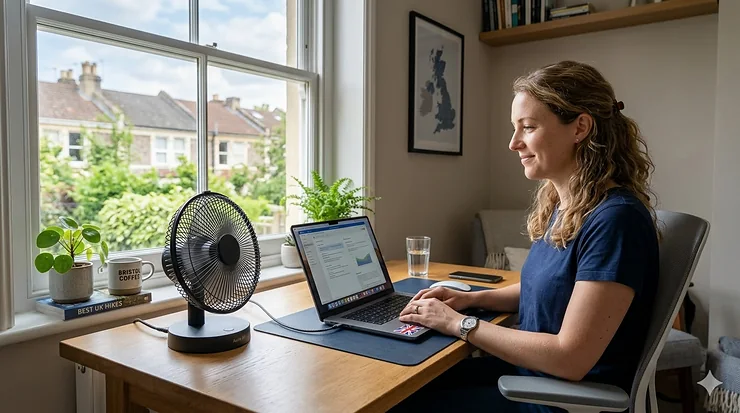
Picture this: you’re halfway through an intense work deadline, your laptop’s running hot, and the room feels like a sauna. A traditional fan is too bulky, too loud, and frankly, overkill for your personal space. Enter the humble USB fan—your pocket-sized climate control solution that’s revolutionising how Brits stay cool whilst working, gaming, or simply lounging about.

The best USB fan isn’t just about moving air; it’s about versatility, portability, and efficiency. Whether you’re powering it from your laptop, a power bank, or a wall adapter, these nifty gadgets have evolved from basic desk accessories to sophisticated cooling systems. According to USB standards, modern USB ports can deliver between 2.5W to 4.5W of power, making them perfect for personal cooling solutions without hiking up your electricity bill.
In this comprehensive guide, I’ll walk you through seven exceptional USB fan options available on Amazon.co.uk, each vetted for UK buyers’ specific needs. From whisper-quiet models for late-night study sessions to powerful units that can cool your entire gaming setup, you’ll find the perfect match for your cooling requirements—all whilst keeping your wallet happy.
Quick Comparison Table
| Product | Size | Speed Settings | Noise Level | Price Range | Best For |
|---|---|---|---|---|---|
| ELUTENG 120mm Dual Row | 120mm | 3 (L/M/H) | 25-31dB | £11.99-£14.99 | Gaming consoles, AV equipment |
| EasyAcc 9-Inch Desk Fan | 9 inches | 2 speeds | 25dB | £15.99-£19.99 | Office desks, bedside tables |
| AC Infinity MULTIFAN S3 | 120mm | Multi-speed | 19dBA | £15.99-£18.99 | Home theatre, routers |
| EasyAcc Handheld Portable | Compact | 3 speeds | <50dB | £12.99-£15.99 | Travel, outdoor events |
| ELUTENG 80mm Triple Speed | 80mm | 3 adjustable | 23-30dB | £9.99-£12.99 | Laptops, compact spaces |
| AC Infinity MULTIFAN S5 | Dual 80mm | Multi-speed | 18dBA | £21.99-£24.99 | Premium cooling, cabinets |
| upHere 120mm USB Fan | 120mm | 3 speeds | Quiet | £10.99-£13.99 | Budget option, versatile |
💬 Just one click – help others make better buying decisions too! 😊
Top 7 Best USB Fan Models: Expert Analysis
1. ELUTENG USB 120mm Dual Row Cooling Fan – Best for Gaming & Electronics
The ELUTENG USB 120mm Dual Row stands as a brilliant example of engineering meeting practicality. This dual-fan setup delivers exceptional cooling without breaking the bank, making it a favourite amongst UK gamers and tech enthusiasts.
Key Specifications:
- Dual 120mm fans in one USB-powered unit
- Three adjustable speeds: Low (2000 RPM), Medium (2500 RPM), High (2900 RPM)
- Airflow: 25-33 CFM per fan
- Eight shock-absorbing rubber feet for vibration reduction
Price: £11.99-£14.99
UK buyers rave about its effectiveness in cooling PlayStation 5 and Xbox consoles during marathon gaming sessions. One reviewer noted, “keeps my PS5 whisper-quiet even during intensive gameplay,” whilst another mentioned its surprising power output for the price point.
✅ Pros:
- Dual-fan design offers excellent value
- Three-speed control for various cooling needs
- Metal protective grilles prevent accidents
❌ Cons:
- Can be audible on highest setting
- Requires adequate USB power (1A recommended)

2. EasyAcc 9-Inch USB Desk Fan – Quietest Option for Office Use
For those seeking serenity alongside cooling, the EasyAcc 9-Inch model is an absolute gem. Operating at a mere 25dB on its lowest setting, it’s quieter than a whisper and perfect for libraries, offices, or bedside use.
Key Specifications:
- 23cm (9-inch) metal construction
- Two-speed operation with simple on/off button
- 180-degree rotatable head
- Airflow: 64.7 CMH at 1000 RPM
Price: £15.99-£19.99
British customers consistently highlight its build quality and surprisingly strong airflow despite the low noise profile. The brushless motor ensures longevity, with several reviewers reporting continuous operation for over two years without degradation.
✅ Pros:
- Exceptionally quiet (21-25dB)
- Sturdy metal construction
- 180-degree adjustable positioning
❌ Cons:
- Only two speeds available
- Larger footprint than compact models
3. AC Infinity MULTIFAN S3 – Premium Choice for AV Equipment
When you demand professional-grade cooling with UL certification, the AC Infinity MULTIFAN S3 delivers without compromise. This American brand has captured the UK market with its reliability and whisper-quiet operation.
Key Specifications:
- 120mm UL-certified fan (E503903)
- Multi-speed inline controller
- Dual-ball bearings rated for 67,000 hours
- Dimensions: 4.7 x 4.7 x 1 inch
- Total airflow: 104 CFM at 19dBA
Price: £15.99-£18.99
UK reviewers particularly appreciate its versatility—it can stand upright or lie flat, making it ideal for cooling receivers, modems, and gaming consoles tucked into entertainment centres. The daisy-chain capability allows connecting up to four units on one USB power source.
✅ Pros:
- UL-certified for safety assurance
- Extremely quiet operation (19dBA)
- Flexible positioning options
❌ Cons:
- Higher price point than budget alternatives
- May require separate power adapter for full performance
4. EasyAcc Handheld Portable USB Fan – Best for Travel & Outdoor Events
Portability meets performance in the EasyAcc Handheld model, designed specifically for Brits on the move. Whether you’re commuting on the Tube during a heatwave or attending an outdoor festival, this foldable wonder fits in your handbag.
Key Specifications:
- 180-degree foldable design
- Three adjustable speeds (2100-3600 RPM)
- Rechargeable battery: up to 10 hours on low setting
- USB-C charging compatible
- Weight: Ultra-lightweight for portability
Price: £12.99-£15.99
UK buyers love its dual functionality—works as both a handheld fan and a desk fan when folded. One Mumsnet reviewer dubbed it her “menopause fairy wand” for managing hot flushes discreetly whilst at work or social events.
✅ Pros:
- Genuinely portable with long battery life
- Dual-purpose design (handheld/desk)
- USB-C charging for convenience
❌ Cons:
- Smaller airflow compared to desk models
- Battery degrades over time with heavy use
5. ELUTENG 80mm USB Fan – Compact Powerhouse for Laptops
Don’t let its diminutive size fool you—the ELUTENG 80mm packs serious cooling punch into a compact frame, making it the go-to choice for laptop users and tight spaces.
Key Specifications:
- 80mm diameter with metal protective grill
- Three-speed settings: 2000/2500/2900 RPM
- Airflow: up to 33 CFM on high setting
- Noise: 23-31dB depending on speed
- Cable length: 1 metre
Price: £9.99-£12.99
British customers frequently purchase this for cooling laptops during intensive tasks, routers to prevent overheating, and even small AV cabinets. Its ball-bearing motor ensures durability, with reported lifespans exceeding three years of continuous operation.
✅ Pros:
- Excellent price-to-performance ratio
- Perfect size for laptop cooling
- Metal construction for longevity
❌ Cons:
- Limited reach with 1m cable
- Not ideal for personal cooling (too small)

6. AC Infinity MULTIFAN S5 – Dual-Fan Premium Solution
For serious cooling applications, the AC Infinity MULTIFAN S5 brings dual 80mm fans working in tandem, delivering professional-grade performance that justifies its premium pricing.
Key Specifications:
- Dual 80mm fans permanently connected
- Total airflow: 52 CFM combined
- Total noise: 18dBA (remarkably quiet)
- Multi-speed controller with four settings
- Daisy-chain capability for expansion
- Dimensions: 3.2 x 3.2 x 1 inch per fan
Price: £21.99-£24.99
UK tech enthusiasts particularly value this for cooling home theatre equipment, network cabinets, and high-performance gaming rigs. The dual-ball bearings rated for 67,000 hours mean this is a long-term investment in your equipment’s longevity.
✅ Pros:
- Dual-fan setup maximises cooling efficiency
- Ultra-quiet operation despite high airflow
- UL-certified for safety compliance
❌ Cons:
- Higher price point
- Overkill for basic cooling needs
7. upHere 120mm USB Fan – Best Budget-Friendly Option
Rounding out our list, the upHere 120mm proves you don’t need to spend a fortune for reliable USB cooling. This budget champion delivers solid performance for everyday cooling needs.
Key Specifications:
- 120mm fan with three-speed control
- Compatible with PC, Xbox, PlayStation, TV boxes
- Quiet operation suitable for office environments
- Plug-and-play USB powered
Price: £10.99-£13.99
UK buyers on a budget consistently rate this as exceptional value for money. Whilst it may lack the bells and whistles of premium models, it delivers straightforward, dependable cooling for typical applications—perfect for students or first-time USB fan buyers.
✅ Pros:
- Excellent value for money
- Simple plug-and-play operation
- Versatile compatibility
❌ Cons:
- Build quality not as robust as premium brands
- Basic features without advanced controls
✨ Don’t Miss These Exclusive Deals!
🔍 Take your cooling setup to the next level with these carefully selected products. Click on any highlighted item to check current pricing and availability on Amazon.co.uk. These fans will help you create a comfortable workspace or gaming environment your family will love!
What Is Best USB Fan? Understanding the Basics
A best USB fan is a portable cooling device powered directly through a Universal Serial Bus (USB) connection, typically drawing 5 volts of power as defined by USB power standards. These compact fans eliminate the need for traditional mains power, making them ideal for personal cooling in offices, during travel, or anywhere a USB port is available. The best models combine efficient airflow with quiet operation, adjustable speeds, and durable construction to deliver reliable performance across various applications from laptop cooling to personal comfort.
How to Choose the Best USB Fan: 7 Essential Factors
1. Determine Your Primary Use Case
Before splashing out, identify where and how you’ll use your USB fan. Desktop workers need different features than travellers. Gaming enthusiasts require robust cooling for consoles, whilst office workers prioritise whisper-quiet operation. Match the fan size and power to your specific application—120mm fans excel for equipment cooling, whilst compact handheld models suit personal portability.
2. Assess Power Requirements and Compatibility
Not all USB ports deliver equal power. Standard USB 2.0 ports provide up to 2.5W (5V at 500mA), whilst USB 3.0 offers 4.5W (5V at 900mA). Check your fan’s power consumption—high-performance models may require dedicated power adapters or powered USB hubs to function optimally. UK buyers should verify compatibility with their devices before purchasing.
3. Evaluate Noise Levels for Your Environment
Decibel ratings matter enormously, especially in quiet environments. Fans rated below 25dB are virtually silent, suitable for libraries and bedrooms. Models between 25-40dB work well in typical office settings, whilst anything above 40dB becomes noticeably audible. Prioritise lower speeds for noise reduction, reserving high settings for when maximum cooling trumps acoustics.
4. Consider Build Quality and Durability
Metal construction outlasts plastic alternatives, particularly for fans in constant operation. Ball-bearing motors significantly extend lifespan compared to sleeve bearings—look for specifications claiming 50,000+ hours of operation. UK electrical safety certifications (CE marking, UKCA post-Brexit) provide additional peace of mind for quality-conscious buyers.
5. Examine Speed Control and Adjustability
Variable speed control allows fine-tuning airflow to match conditions. Three-speed models offer versatility for most situations, whilst premium options feature continuous speed adjustment. Rotatable heads enable precise airflow direction, particularly valuable for desk fans needing to target specific areas without repositioning the entire unit.
6. Calculate Long-Term Value vs. Initial Cost
Budget options tempt with low prices, but premium fans often deliver better value through longevity and performance. Consider the total cost of ownership—a £25 fan lasting five years outperforms three £10 fans requiring replacement annually. UK buyers should also factor in energy efficiency; USB fans consume minimal power compared to traditional alternatives.
7. Check User Reviews from UK Buyers
Amazon.co.uk reviews from British customers provide invaluable insights into real-world performance. Pay particular attention to reviews mentioning UK-specific concerns: voltage compatibility, delivery times, and customer service responsiveness. Verified purchase reviews carry more weight than unverified testimonials.

USB Fan vs. Traditional Desk Fan: Which Suits UK Homes?
| Feature | USB Fan | Traditional Desk Fan |
|---|---|---|
| Power Consumption | 2.5-4.5W | 15-45W |
| Portability | Excellent (powered by any USB) | Limited (requires mains socket) |
| Noise Level | Generally quieter (15-40dB) | Often louder (40-60dB) |
| Cooling Coverage | Personal/localised | Room-wide circulation |
| Price Range (UK) | £9.99-£24.99 | £15-£80+ |
| Typical Applications | Desks, laptops, travel, equipment cooling | Bedrooms, living rooms, larger spaces |
Maximising Your USB Fan’s Performance: Top UK Tips
Positioning Matters More Than You Think
Place your fan strategically to maximise airflow efficiency. For laptop cooling, position the fan to blow across the laptop’s intake vents rather than directly onto the keyboard. Equipment cooling works best when fans create a through-flow—cool air in one side, warm air exhausted from the other.
Maintain Regular Cleaning Schedules
British homes accumulate dust rapidly, particularly during summer months. Clean your USB fan’s blades and grilles monthly using a soft brush or compressed air. Dust buildup reduces efficiency by up to 30% whilst increasing noise levels and motor strain.
Leverage Multiple Fans for Zoned Cooling
Rather than investing in one large fan, consider multiple USB fans creating targeted cooling zones. This approach particularly suits UK homes where cooling individual rooms proves more efficient than whole-house systems. Daisy-chain compatible models allow running several fans from a single USB port.
Combine with Natural Ventilation
USB fans work brilliantly alongside traditional British cooling methods. Position fans near windows during cooler evening hours to draw fresh air indoors. During daytime heat, use fans to circulate air towards shaded areas, creating comfortable microclimates without air conditioning costs.
Understanding USB Power Standards for UK Buyers
The Universal Serial Bus standard has evolved significantly since its 1996 introduction, with power delivery capabilities expanding alongside data transfer improvements. Modern USB specifications support various power levels:
- USB 2.0: Up to 2.5W (5V at 500mA) – sufficient for basic fans
- USB 3.0/3.1: Up to 4.5W (5V at 900mA) – powers more robust models
- USB-C with PD: Up to 100W+ – future-proofing for advanced applications
UK buyers should note that whilst USB fans typically operate within standard 5V parameters, optimal performance often requires adequate amperage. Connecting high-performance fans to underpowered ports may result in reduced speed or operational failures.
Energy Efficiency: How USB Fans Save British Households Money
At current UK energy prices (approximately 24.5p per kWh as of 2026), traditional fans cost roughly 1-3p per hour to operate. USB fans, consuming merely 2.5-4.5W, cost less than 0.1p hourly—a 90%+ reduction in running costs.
Annual savings prove substantial: running a USB fan 8 hours daily for six summer months costs approximately £1.50, compared to £15-30 for traditional alternatives. For UK households watching utility bills, USB fans represent savvy energy management whilst maintaining personal comfort.
Troubleshooting Common USB Fan Issues
Fan Won’t Start or Runs Slowly
Insufficient power delivery tops the list of culprits. Try connecting to a different USB port, preferably USB 3.0 or a powered hub. Some laptops reduce USB power during battery operation—switch to mains power for full performance.
Excessive Noise or Vibration
Check that rubber feet remain intact and properly positioned. Loose screws or damaged blades cause vibrations; tighten all fasteners and inspect blades for warping. If noise persists after cleaning, bearings may require lubrication or replacement.
Intermittent Operation
Cable damage frequently causes intermittent connections. Inspect the USB cable for kinks, fraying, or connector damage. Try a different USB cable if your model allows replacement—many issues resolve through simple cable swapping.
Best Practices for UK Climate Conditions
British weather patterns demand flexible cooling solutions. Summer heatwaves increasingly strain UK households lacking air conditioning. USB fans excel during these periods, providing targeted relief without overwhelming electricity grids.
Spring and autumn present unique challenges—cool mornings transitioning to warm afternoons. Variable-speed USB fans adapt perfectly, offering gentle circulation when needed without excessive cooling. Position fans to enhance natural ventilation through windows, maximising comfort whilst minimising energy consumption.
Winter months don’t relegate USB fans to storage. Use them to circulate warm air from radiators, improving heating efficiency throughout rooms. This often-overlooked application reduces heating costs whilst maintaining even temperature distribution in British homes.
Maintenance Schedule for Longevity
Weekly: Wipe external surfaces with dry cloth Monthly: Clean blades and grilles thoroughly; check cable condition Quarterly: Inspect bearings (listen for grinding); tighten all screws Annually: Deep clean internal components if accessible; consider bearing lubrication
Following this schedule extends fan lifespan significantly, with well-maintained units easily exceeding five years of reliable operation—exceptional value for the modest investment USB fans require.
Safety Considerations for UK Households
Whilst USB fans operate at safe voltages, basic precautions ensure trouble-free operation. Never immerse fans in water or operate in excessively humid environments like bathrooms without proper ventilation. Keep cables away from foot traffic to prevent tripping hazards.
Children and pets require supervision around USB fans. Metal grilles prevent finger injuries, but younger children may still manage to insert small objects. Position fans securely where curious hands cannot easily access moving components.
UK electrical safety regulations don’t specifically govern USB-powered devices, but choosing models with CE marking or UKCA certification ensures compliance with broader electrical safety standards. Reputable brands like ELUTENG, EasyAcc, and AC Infinity maintain rigorous quality standards befitting UK market expectations.

Frequently Asked Questions
❓ Can USB fans cool an entire room in UK homes?
❓ Are USB fans safe to run overnight in bedrooms?
❓ How long do USB fan motors typically last with daily use?
❓ Can I power a USB fan from a portable power bank whilst travelling?
❓ Do USB fans work with USB-C ports on modern laptops?
Conclusion: Finding Your Perfect USB Fan Match
Selecting the best USB fan ultimately depends on balancing your specific cooling requirements against budget constraints and environmental considerations. For equipment cooling—gaming consoles, routers, AV cabinets—the ELUTENG 120mm Dual Row or AC Infinity MULTIFAN series deliver professional-grade performance with exceptional longevity.
Office workers and students benefit most from the whisper-quiet EasyAcc 9-Inch Desk Fan, which maintains productivity without acoustic distractions. Travellers and outdoor enthusiasts cannot go wrong with the EasyAcc Handheld Portable, offering genuine portability without compromising cooling effectiveness.
Budget-conscious UK buyers find outstanding value in the upHere 120mm or compact ELUTENG 80mm models—both deliver dependable cooling at prices that won’t strain household finances. Remember, the best USB fan isn’t necessarily the most expensive; it’s the model that perfectly addresses your unique cooling challenges whilst fitting seamlessly into your daily routine.
As British summers grow warmer and working-from-home arrangements persist, USB fans represent smart investments in personal comfort and equipment longevity. Choose wisely using this guide, maintain your fan properly, and enjoy years of reliable, energy-efficient cooling exactly where you need it most.
Recommended for You
- 7 Best Battery Desk Fans UK 2026 | Cordless Cooling Guide
- 7 Best Battery Fan for Prams UK 2026
- 7 Best Battery Powered Hand Fans UK 2026
Disclaimer: This article contains affiliate links. If you purchase products through these links, we may earn a small commission at no additional cost to you. Prices shown are approximate and may vary.
✨ Found this helpful? Share it with your mates! 💬🤗
