

In This Article
Here’s an uncomfortable truth about modern laptops: the slimmer they get, the hotter they run. Manufacturers squeeze serious silicon into a chassis you could post through a letterbox, then ask two tiny fans to sort out the consequences. When those fans lose the argument, the machine quietly slows itself down to stay alive. That’s where a USB-C cooling device for laptop earns its desk space: a small, affordable, plug-in helper that improves airflow without a mains lead in sight.

But “USB-C” is a slippery word. Some pads genuinely plug into a Type-C port. Others ship with a USB-A cable and leave you hunting for an adapter. The beefiest ones want a wall socket entirely. Meanwhile, plenty of people searching this topic are really trying to cool a phone, and for them a USB-C mini fan for phone might be the smarter answer.
So this guide does three things. First, it ranks seven real products across budget, mid-range and premium, from a pad costing about the same as a pub lunch to a proper turbofan rig. Second, it explains what the specs mean in daily use, because a number without context is just decoration. Third, it stays honest about what can and can’t be verified: where reviews are thin, I’ll say so rather than dress them up.
Along the way you’ll meet the best rated USB-C cooling pad candidates, get a plain-English tour of USB-C powered cooling gadgets, and pick up a few thermal management habits that cost nothing. Whether you call it a cooler, a stand or a lapcooling pad, the job is the same. And if you’re building a wider set of gaming lapaccessories, you’ll find that section too. Grab a brew; your laptop is about to get a lot less sweaty.
What Is a USB-C Cooling Device for Laptop?
A USB-C cooling device for laptop is an accessory that moves heat away from your machine using fans, a ventilated surface, or both, and connects through a USB Type-C port or a USB-C-compatible cable for power, data or both. It ranges from slim fan pads and turbofan cooling stands to clip-on mini coolers.
Notice what that definition quietly admits: “USB-C” describes a connector, not a capability. According to Wikipedia’s overview of USB-C, a device with a Type-C connector doesn’t necessarily implement USB Power Delivery or any particular transfer protocol. In other words, the shape of the plug tells you almost nothing about how much power actually reaches the fan. Without Power Delivery, a Type-C source is generally specified for 5V at up to 3A, which works out to 15W at best. Many laptop ports offer less.
The wider family of USB-C powered cooling gadgets splits into three tribes. There are bus-powered fan pads that sip a few watts, mains-powered turbofan units that treat USB as a hub connection, and tiny Peltier coolers for phones. Each solves a different thermal management problem, which is why one “best” product doesn’t exist. What follows is a ranking by job, not by hype.
Quick Comparison: USB-C Cooling Device for Laptop Options at a Glance
Short on time? This table sorts the field by how each product connects, because for any USB-C cooling device for laptop, the cable question decides more purchases than fan count does. Prices are ranges observed at the time of research; check current prices, since they move constantly.
| Product | Connection | Cooling style | Price range | Best For |
|---|---|---|---|---|
| TECKNET N5 | USB-C or USB-A port on the pad (A-to-A cable in box) | Two 110 mm fans | Roughly £20-£30 | Budget MacBook and Windows users |
| Havit HV-F2056 | USB-A cable (adapter for USB-C-only laptops) | Three fans | Roughly £18-£30 | Commuters wanting light, quiet cooling |
| Kootek Chill Mat | USB-A cable (adapter for Type-C) | Five fans, selectable | Roughly £20-£35 | Long desk sessions and ergonomics |
| Targus Lap Chill Mat | USB-A cable | Two fans, neoprene base | Roughly £25-£35 | Sofa and lap use |
| llano V12 | 36W mains adapter; USB-A-to-C cable for the hub | 5.5-inch turbofan | Roughly £90-£120 | Hot 15.6-19 inch gaming laptops |
| Razer Laptop Cooling Pad | USB-A cable plus 12V/3A mains adapter | 140 mm fan, sealed frame | Roughly £110-£160 | Premium gaming lapaccessories setups |
| Black Shark FunCooler 5 | Built-in USB-C power port | Peltier plate plus fan (phones) | Under £40 range | Mobile gaming heat |
Read the table sideways and a pattern jumps out. Only the TECKNET N5 and the Black Shark FunCooler 5 put a Type-C port on the product itself, while the mid-range pads lean on USB-A cables and the premium pair lean on the mains. If you own a USB-C-only ultrabook, the Havit HV-F2056 and Kootek Chill Mat still work, but budget a few pounds for an adapter. Anyone shortlisting a rated USB-C cooling pad should therefore ask “what powers the fan?” before “how many fans?”. And if it’s a phone that’s cooking, skip straight to the Black Shark FunCooler 5, the only USB-C mini fan for phone in the lineup.
💬 Just one click — help others make better buying decisions too!😊
Top 7 USB-C Cooling Device for Laptop Picks: Expert Analysis
One housekeeping note before the list. I can’t verify current UK star ratings for every listing, and aggregator sites often contradict each other, so each entry summarises the sentiment I could genuinely find and flags gaps. Nothing here comes from hands-on testing; it’s analysis built on published specs, retailer listings and third-party reviews. Manufacturer performance claims are labelled as such, because a lab figure from the seller is a best case, not a guarantee.
1. TECKNET N5 — dual USB-C and USB-A ports on the pad
The headline trick of the TECKNET N5 is convenience: it accepts your laptop’s connection through either a Type-C or a Type-A port, and the spare port passes power to low-current gadgets. For anyone hunting a budget USB-C cooling device for laptop, that flexibility is the whole pitch.
On specs, two 110 mm fans run between roughly 1,300 and 1,800 RPM via a side wheel, and the pad fits 12-16 inch laptops. In practice, that wheel matters more than the peak number: keep it low for near-silent email sessions, wind it up for gaming. One catch, though: only an A-to-A cable comes in the box, so a MacBook owner needs a separate USB-C cable to use the Type-C port directly.
Here’s what to weigh. This is a slim, bag-friendly pad for thin-and-light machines, not a rescue kit for a roaring gaming laptop. The brand says its internal channel design concentrates airflow between the two fans, so check where your laptop’s intake vents sit before buying.
On reviews, the small sample on the manufacturer’s own page is positive. Buyers call it quiet and unobtrusive, one gamer says full speed stopped their laptop overheating, and another reports only a few degrees of improvement. That’s anecdotal, but it fits a modest, budget-class pad.
Pros:
- ✅ Genuine Type-C and Type-A options on the pad
- ✅ Adjustable 1,300-1,800 RPM speed wheel
- ✅ Slim enough for a laptop bag
Cons:
- ❌ Only an A-to-A cable included
- ❌ Modest cooling for hot gaming laptops
Price: around £20-£30, which is fair value for a two-fan pad with real USB-C flexibility.

2. Havit HV-F2056 — slim three-fan pad for travel
The Havit HV-F2056 wins hearts by being unfussy: three fans, a slim frame, no drama. It fits 15.6-17 inch laptops, making it one of the few budget pads that genuinely covers bigger screens.
Now the spec reading. One specification roundup puts the three fans at around 1,100 RPM with two speed settings, plus two height positions. Low RPM sounds unimpressive, but it’s exactly why pads like this stay quiet: you trade peak airflow for peace. The cable is Type-A, so USB-C-only laptops need a small adapter or hub, which adds a few pounds to the real cost.
My honest take, based on that spec sheet: this is the pad for students, commuters and anyone who wants “a bit cooler and a bit higher” without carrying a brick. A heat-soaked gaming laptop will outgrow it quickly.
Sentiment-wise, Amazon’s US storefront gives it an “Overall Pick” badge, a label Amazon describes as 4+ stars, often purchased and rarely returned, and LivingGearLab ranks it as its best overall pad. UK stock and ratings differ, so read the current UK reviews before you buy.
Pros:
- ✅ Covers 15.6-17 inch laptops cheaply
- ✅ Quiet three-fan layout
- ✅ Slim and easy to pack
Cons:
- ❌ USB-A cable needs an adapter for USB-C-only laptops
- ❌ Two speed settings and modest peak airflow
Price: roughly £18-£30. Verdict: excellent value for the size support, provided your laptop doesn’t run genuinely hot.
3. Kootek Chill Mat — five fans and six height settings
The Kootek Chill Mat goes wide instead of deep: five fans (one 4.72-inch and four 2.76-inch) under a 12-17 inch platform, with two switches so you can run one fan, four, or all five.
What does that mean at your desk? A multi-fan layout covers more of the underside, which helps on laptops whose intake vents sit in awkward places, while the big central fan does the heavy lifting and the small ones add coverage rather than brute force. Six height settings are the sleeper feature: raising the screen towards eye level is an ergonomic win that many listings undersell. There’s also a dual USB hub, though the pad eats one of your ports to give you two, and the box cable is USB-to-USB, so Type-C laptops need an adapter.
Based on the spec comparison, this is the pad for people who sit for hours rather than sprint through games. One roundup pitches it as the ergonomics-first choice, and that matches the height range.
For sentiment, one parent reviewer on eBay liked that it draws power from the laptop with no separate adapter, while wondering whether that might affect longevity. It’s a small sample, so I won’t stretch it further.
Pros:
- ✅ Five fans with selectable zones
- ✅ Six height settings for posture
- ✅ Two extra USB ports
Cons:
- ❌ Needs an adapter for Type-C-only laptops
- ❌ Small fans add little raw force
Price: around £20-£35. Verdict: strong all-rounder value for desk workers.
4. Targus Lap Chill Mat — neoprene comfort for laps
The Targus Lap Chill Mat is designed around your knees as much as your laptop, with a soft neoprene base and dual USB-A-connected fans in a form labelled for laptops up to 17 inches.
Think about what that neoprene does. It insulates your legs from the hot underside and stops the pad sliding about, which matters on a sofa. Two fans deliver moderate airflow, enough for office loads rather than sustained rendering. Note the sizing conflict I found: the Amazon listing says 17 inches, while one UK editorial roundup lists 15.6 inches as the maximum, so confirm fit for your model.
There’s an honest tension here, too. Retail guidance such as Currys’ advice on stopping a laptop overheating recommends hard, flat surfaces because soft ones block vents. A lap mat is therefore a comfort-first compromise, not a miracle.
On reviews, LivingGearLab praises it for lap use thanks to the soft neoprene build, and a UK roundup from Testix ranks it first for home workers. That’s one site’s opinion, though, and I couldn’t verify a deep pool of current UK owner ratings for this exact model, so I won’t invent one.
Pros:
- ✅ Soft neoprene is comfortable on the lap
- ✅ Two USB-A-powered fans
- ✅ Well-known accessory brand
Cons:
- ❌ Fixed angle with no height adjustment
- ❌ USB-A only and size limits to check
Price: around £25-£35. Verdict: worth it if the sofa is your office.
5. llano V12 — turbofan power with a USB hub
Where the pads above nudge air, the llano V12 shoves it. A 5.5-inch turbofan spins between 300 and 2,800 RPM and seals to your laptop’s underside with a memory-foam gasket, so pressurised air goes into the intake instead of leaking sideways. It’s built for 15.6-19 inch gaming laptops.
Here’s the USB-C reality check. Power comes from a 36W (12V/3A) mains adapter, which keeps the fan from draining your laptop. The USB-A-to-C cable in the box feeds the three-port hub, so the “USB-C” role is data uplink, not fan power. Three tilt angles (3°, 12° and 15°) help posture. The manufacturer claims a 20-25°C CPU and GPU drop in 90 seconds under full load and quotes noise up to 70dB, so treat the first as a best case and the second as a warning.
That makes it a natural anchor for a gaming lapaccessories desk setup, and a poor fit for cafés or trains, since it needs a socket.
As for reviews, I found contradictory aggregate scores for two V12 listings on one UK ranking site, which looks more like a data glitch than a verdict. I won’t quote a star rating; check the latest UK reviews and the return policy instead.
Pros:
- ✅ Sealed 5.5-inch turbofan for hot gaming laptops
- ✅ Speed range from 300 to 2,800 RPM
- ✅ Three-port USB hub
Cons:
- ❌ Needs a wall socket
- ❌ Loud at full speed
Price: roughly £90-£120, with the V12 Ultra variant higher. Verdict: strong value if throttling is your problem, overkill for spreadsheets.
6. Razer Laptop Cooling Pad — smart fan curves and a sealed chamber
The Razer Laptop Cooling Pad is the grown-up in the room, and it charges grown-up prices. Its 140 mm fan reaches up to 2,550 RPM on the UK listing, and three magnetic foam frames create an airtight chamber for 14-18 inch laptops. A dust filter, three-port USB-A hub and Razer Synapse fan curves complete the package.
Spec by spec: the UK listing quotes up to 44.46 CFM and up to 48dB at maximum speed, and the frames matter because the seal turns the pad into a pressurised plenum. For USB-C shoppers, note that it connects with a 0.5 m USB-A cable and needs a 12V/3A (36W) adapter, so there’s no Type-C in play. Razer claims up to 16°C cooler CPU and GPU temperatures, though the company itself says results vary by laptop.
The honest analysis: one UK reviewer argues the deepest features suit Razer Blade owners, while other gaming laptops get a very capable pad but pay for extras they can’t use.
Reviewer sentiment lines up. Windows Central’s review describes it as loud and expensive but genuinely effective, and the UK review agrees that buyers of non-Razer machines should compare cheaper turbofan alternatives.
Pros:
- ✅ Sealed magnetic frames for 14-18 inch laptops
- ✅ Smart fan curves via Synapse
- ✅ Three-port hub and dust filter
Cons:
- ❌ Premium price tag
- ❌ Loud at high speed and needs a mains adapter
Price: roughly £110-£160, so check current prices. Verdict: worth it only if you actually throttle and want the tuning.
7. Black Shark FunCooler 5 — USB-C phone cooler
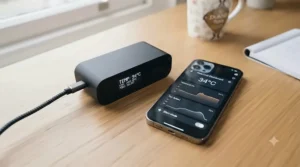
Not every hot device is a laptop, so the final pick is a curveball. The Black Shark FunCooler 5 is a magnetic clip-on cooler with a built-in USB-C port, and it’s the most literal answer to a USB-C mini fan for phone.
The UK listing gives 5V input, a “20W” power class, up to 6,500 RPM and 30dB in silent mode, at just 82.5 g with a 12N magnet. Cable not included. Practically, a Peltier plate chills the contact surface, so it can pull heat from a phone faster than a fan alone, though the brand’s roughly 35°C figure describes the cooling unit, not a 35°C drop on your phone. If your handset has no magnetic ring, the Black Shark FunCooler 5 NEO clips on instead, in a 15W class with a USB-C port.
Reviews are mixed-to-positive. One tester reports a phone holding about 35°C instead of 45°C during a two-hour session, and another roundup praises the magnet’s grip through cases. However, reviews of the pricier Pro model flag condensation and charger demands, which is plausible for any Peltier cooler, so keep sessions sensible and use a sturdy charger.
Pros:
- ✅ Native USB-C input, plug and go
- ✅ Silent mode around 30dB
- ✅ Light at roughly 82 g
Cons:
- ❌ Cable not included
- ❌ Tethered use with possible condensation
Price: under the £40 range, so check current prices. Verdict: excellent value for serious mobile gamers, unnecessary for casual scrolling.
Top 7 at a Glance: Specs and Best-For Verdicts
| Product | Size support | Cooling | Power | Price range | Best For |
|---|---|---|---|---|---|
| TECKNET N5 | 12-16 inch | 2 fans, 1,300-1,800 RPM | Laptop USB-C or USB-A | £20-£30 | Everyday portability |
| Havit HV-F2056 | 15.6-17 inch | 3 fans, ~1,100 RPM | Laptop USB-A | £18-£30 | Larger screens on a budget |
| Kootek Chill Mat | 12-17 inch | 5 fans, selectable | Laptop USB-A | £20-£35 | Ergonomics |
| Targus Lap Chill Mat | Up to 17 inch (check) | 2 fans | Laptop USB-A | £25-£35 | Lap comfort |
| llano V12 | 15.6-19 inch | 5.5″ turbofan, up to 2,800 RPM | 36W mains | £90-£120 | Hot gaming laptops |
| Razer Laptop Cooling Pad | 14-18 inch | 140 mm fan, up to 2,550 RPM | 12V/3A mains | £110-£160 | Tuned, sealed cooling |
| Black Shark FunCooler 5 | Phones | Peltier plus fan | USB-C, 5V | Under £40 | Phone gaming |
The spread tells a clear story: cooling force and price climb together, and so does the power requirement. Buyers under £35 are buying gentle airflow from a laptop’s own port, while the llano V12 and Razer Laptop Cooling Pad move into mains-powered territory where the USB connector is merely a hub. For most office users the sweet spot sits in the middle of the table, and the Black Shark FunCooler 5 belongs in a category of its own.
✨ Ready to Cool Things Down?
🔍 Take your thermal management to the next level with these carefully selected products. Click on any highlighted item to check current pricing and availability. These picks will help you enjoy cooler, quieter sessions, whether you’re working, gaming or streaming!
How to Choose a USB-C Cooling Device for Laptop
To choose a USB-C cooling device for laptop, match the pad to your laptop’s vents, confirm how it’s powered, check the cable, and buy the quietest option that solves your actual heat problem. Here are the steps, with the reasoning behind each.
- Find your laptop’s intake vents first. Flip the machine over. If the intakes sit centrally, a big single fan or sealed turbofan is ideal; if they’re scattered, a multi-fan layout like the Kootek Chill Mat covers more ground. Some ultraportables have no fan at all, which changes the whole equation.
- Decide how it will be powered. Standard USB-A ports deliver roughly 2.5W (500 mA) to 4.5W (900 mA), enough for gentle fans. Type-C without Power Delivery can reach 15W. Turbofans want mains.
- Check the actual plug in the box. Only the TECKNET N5 offers Type-C on the pad itself. Others ship a USB-A cable, so add an adapter to your budget.
- Confirm size and weight. A 17-inch laptop on a 15.6-inch pad overhangs the vents and defeats the purpose.
- Prioritise speed control over peak RPM. A wheel or app lets you trade airflow for silence, which you’ll do daily.
- Look for ergonomics. Height steps reduce neck strain, a bonus rarely mentioned in listings.
- Treat ratings and lab claims cautiously. When comparing any rated USB-C cooling pad, remember that seller-supplied temperature drops are best cases. Dell’s overheating guidance is a useful reality check: it treats throttling as a safety feature, and recommends clearing vents with compressed air rather than a vacuum cleaner.
The takeaway: a pad supports good thermal management, but it never replaces clean vents and sensible workloads.
The USB-C Power Question: What USB-C Powered Cooling Gadgets Really Need
If you only read one analytical section, make it this one, because “does it plug into USB-C?” hides three separate questions. Does the connector carry power? Does the laptop port agree to supply it? And is that enough for the job?
Without Power Delivery, a Type-C source is specified for 5V at up to 3A, while a classic USB 2.0 port is limited to 500 mA and USB 3.0 to 900 mA. That means a bus-powered fan pad, which typically needs only a few watts, is happily served by almost any port. However, a Peltier phone cooler or a 36W turbofan asks for far more, which is why the llano V12 and Razer Laptop Cooling Pad bring their own adapters.
There’s a practical wrinkle for USB-C powered cooling gadgets too. User forums occasionally report Type-C ports that don’t power simple accessories in certain sleep or power-saving states, and results vary by laptop and cable. A powered hub or a different port is a sensible fallback.
Finally, think about what you’re sacrificing. Powering a pad from your laptop costs a sliver of battery, and a wired Black Shark FunCooler 5 sharing a small power bank can trip its limits. Features that don’t matter? RGB lighting and dramatic RPM figures. Features that do? Seal quality, speed control and a cable you already own.
USB-C Cooling Device for Laptop vs Traditional Alternatives
Fans aren’t the only route to a cooler laptop, so here’s how the options compare.
| Option | How it helps | Weak spot | Best For |
|---|---|---|---|
| Bus-powered fan pad | Adds airflow and lifts the chassis | Modest force | TECKNET N5 and Havit HV-F2056 users |
| Sealed turbofan pad | Pressurises air into the intake | Noise, mains lead | llano V12 and Razer Laptop Cooling Pad owners |
| Passive stand | Raises the laptop for free airflow | No active cooling | Quiet desks, fanless machines |
| Vent cleaning and power profiles | Restores design airflow, cuts heat at the source | Needs regular effort | Everyone |
Looking at the table, the surprising winner is the boring one: cleaning vents and easing the power profile. A dusty laptop with a shiny pad is still a dusty laptop, and dust is one of the classic causes of overheating. A fan pad shines when the laptop already breathes well but works flat out, a scenario common with gaming machines.
Written plainly: choose a passive stand if your laptop is quiet and merely warm, a bus-powered pad for steady office heat, and a sealed turbofan when games or renders push temperatures into throttling. A USB-C cooling device for laptop belongs in the middle of that ladder, and it works best alongside, not instead of, maintenance.
USB-C Mini Fan for Phone: When (and When Not) to Bother
Phones throttle for the same reason laptops do: small bodies, big processors. A USB-C mini fan for phone comes in three flavours, and the right one depends on your habits.
Fan-only clip-ons are light and cheap, and they suit casual gaming. Peltier coolers, like the Black Shark FunCooler 5, chill a contact plate and cope better with long sessions, although they need a proper charger and can produce condensation. Liquid or bulkier desktop coolers exist too, but they tie you to a desk.
The Black Shark FunCooler 5 and its clip-on sibling, the Black Shark FunCooler 5 NEO, both use USB-C power. That’s convenient, since you can share a charger with your phone, but it also means a cable dangling during landscape play. Wireless-charging users should note that heat builds up quickly while charging, which is when a cooler earns its keep.
Sensible thermal management for phones is mostly about habits: remove thick cases during long sessions, avoid direct sun, and don’t game while charging on a weak charger. Treat USB-C powered cooling gadgets like this as an add-on to that routine. If you’re assembling a set of gaming lapaccessories that includes mobile play, one phone cooler is worth a slot; otherwise your money belongs on the laptop pad.
Setup Guide: Get More From Your USB-C Cooling Device for Laptop in 30 Days
Buying the pad is step one. Using it well is where the temperature drops.
Week one: placement. Put the pad on a hard, flat surface, as Currys’ overheating guidance advises, then align the fan with your laptop’s intake. For sealed units, seat the foam gasket flush; a gap defeats the design. Start on the lowest fan setting and only raise it when temperatures demand.
Week two: measure. Free tools such as HWMonitor, Core Temp or Mac Fan Control show CPU and GPU temperatures. Note idle and load readings with and without the pad, so your decision rests on numbers rather than vibes.
Week three: clean and tune. Turn the laptop off, then use compressed air on the vents. Check the pad’s own filter or grille too, especially on a lapcooling pad that lives near a bed or carpet.
Week four: refine. Adjust height for posture, set a fan curve if the software allows it, and confirm the USB cable isn’t loose.
Common mistakes in the first 30 days: leaving the fan at maximum forever, blocking rear vents with a wall, powering a hungry cooler from a weak port, and forgetting that dust returns. A monthly wipe-down keeps the whole system honest.
Real-World Scenarios: Which Pick Fits Your Life?
Specs are abstract; routines are not. Here are three profiles and the pick that suits each.
The commuting student. Imagine a 14-inch ultrabook, a £25 budget and a bag that already weighs a tonne. The TECKNET N5 or Havit HV-F2056 fits: slim, quiet, and powered from the laptop. If the laptop is USB-C-only, the TECKNET N5 saves you buying an adapter for the pad itself, though you’ll still need a suitable cable.
The hybrid worker at the kitchen table. Eight hours a day, plugged in, video calls on. The Kootek Chill Mat makes sense: five fans on low for near-silence, and six height settings so your neck isn’t paying the price. Its USB hub also cuts cable clutter.
The desk gamer with a 17-inch laptop. Frequent long sessions, mains close at hand. Here a rated USB-C cooling pad won’t cut it; consider the llano V12 or the Razer Laptop Cooling Pad, both built for sustained loads. They also anchor a broader set of gaming lapaccessories, since the built-in hubs free up ports.
The mobile gamer. If the phone is the hot device, the Black Shark FunCooler 5 is the sensible spend, and your laptop pad budget can stay modest.
Three questions sort nearly everyone: how hot does it get, where do you use it, and how loud can it be?
Problem → Solution: When Your USB-C Cooling Device for Laptop Misbehaves
Even a well-chosen cooler can sulk. Here are the usual culprits.
Problem: the fans don’t spin. Solution: try a different USB port and cable, then a powered hub. If you’re using a USB-C cooling device for laptop with an adapter, confirm the adapter is data-capable rather than charge-only.
Problem: it’s noisy. Solution: drop the speed. Bearing hum can also mean dust, so clean the grille. A large turbofan like the llano V12 will always be louder at maximum; reserve that for heavy loads.
Problem: the laptop still throttles. Solution: check that the fan faces the intake, and consider a sealed unit such as the Razer Laptop Cooling Pad. If vents are clogged, clean them first; Dell’s advice on compressed air applies.
Problem: phone cooler condensation or cutting out. Solution: with the Black Shark FunCooler 5, use a stronger charger, lower the intensity in long sessions and wipe the plate dry.
Problem: the pad wobbles or eats ports. Solution: choose a hub-equipped model like the Kootek Chill Mat and keep cables tidy so nothing strains the connector.
Long-Term Cost & Maintenance
Cooling accessories look cheap until you count the extras. A USB-A-to-C adapter adds a few pounds, and a mains-powered rig adds a hungry adapter and a socket.
Cost per use puts it in perspective. Suppose a £25 pad, such as the Havit HV-F2056, is used four hours a day for two years: that’s about 2,920 hours, or under one penny per hour. A £140 Razer Laptop Cooling Pad at three hours a day for three years is roughly 3,285 hours, near 4p an hour. Neither figure is scary, but only one of them is justified if your laptop never throttles.
Warranty and support matter too. Razer lists a two-year warranty, while the TECKNET N5 listing mentions 36 months of support for registered buyers. Meanwhile, small motors are the likeliest failure point on budget pads, as one eBay reviewer speculated, so treat a cheap pad as a consumable.
Maintenance is simple: wipe the mesh monthly, clean or replace filters where fitted, and store cables loosely. Add proper thermal management habits such as clean vents and sensible power profiles, and a decent pad should last well beyond the first hot summer. When comparing any rated USB-C cooling pad, factor in support terms, not just the sticker.
Safety, Standards & Compliance Guide for UK Buyers
Safety isn’t glamorous, but it matters, especially for anything with a mains adapter. According to GOV.UK’s guidance on placing products on the market in Great Britain, the UK recognises CE marking alongside or in place of UKCA marking for many product types, so seeing either mark on a mains adapter is normal. What you should worry about is a missing mark, or an adapter with the wrong plug.
Practical checks: confirm that a 36W adapter for a llano V12 or Razer Laptop Cooling Pad ships with a UK-suitable plug, since some overseas listings show different pin types. Avoid generic unbranded chargers for USB-C powered cooling gadgets, particularly Peltier units that draw more power.
Never cover your laptop’s vents with soft furnishings, and unplug accessories before cleaning. For phone coolers, sensible use matters: with a Peltier device like the Black Shark FunCooler 5, avoid extreme cooling in humid air, where condensation is likelier. Finally, keep your USB-C cooling device for laptop cable free of kinks, because a stressed connector is a fire-and-forget failure waiting to happen.

Frequently Asked Questions
❓ Can a laptop's USB-C port power a cooling pad?
❓ Are USB-C powered cooling gadgets safe to run from a power bank?
❓ Is a USB-C mini fan for phone worth buying for mobile gaming?
❓ How much should I spend on a rated USB-C cooling pad in the UK?
❓ Will a cooling pad help a fanless MacBook or ultrabook?
Conclusion
So, what should you actually buy? If you want a cheap, quiet, genuinely USB-C-friendly USB-C cooling device for laptop, the TECKNET N5 is the most on-topic budget choice, and the Havit HV-F2056 is the value pick for larger screens. Long desk sessions favour the Kootek Chill Mat, sofa surfers should look at the Targus Lap Chill Mat, and gamers whose machines throttle should compare the llano V12 with the Razer Laptop Cooling Pad, accepting the mains lead as the price of real airflow. For hot handsets, the Black Shark FunCooler 5 is the standout USB-C mini fan for phone.
The larger lesson is simpler than any spec sheet. “USB-C” tells you about the plug, not the performance, so check what powers the fan, where your vents sit, and whether your problem is heat or just habit. Pair whichever pad you choose with clean vents and a sensible power profile, and your thermal management will do more than any gadget alone. That’s the honest bottom line from the research: modest pads for modest heat, sealed turbofans for serious heat, and no product that replaces a little maintenance.
✨ Ready to Cool Things Down?
🔍 Take your setup to the next level with these carefully selected picks. Click on any highlighted item to check current pricing and availability. These products will help you enjoy cooler, quieter sessions with your laptop and phone!
Recommended for You
- USB-C Desk Fan: 7 Best Picks For UK Desks in 2026
- USB Power Bank Fans for Camping: 7 Brilliant Picks (2026)
- Power Bank Fan: 7 Best USB Rechargeable Picks UK 2026
Disclaimer: This article contains affiliate links. As an Amazon Associate, I earn from qualifying purchases. If you purchase products through these links, we may earn a small commission at no additional cost to you.
✨ Found this helpful? Share it with your friends! 💬🤗
