
In This Article
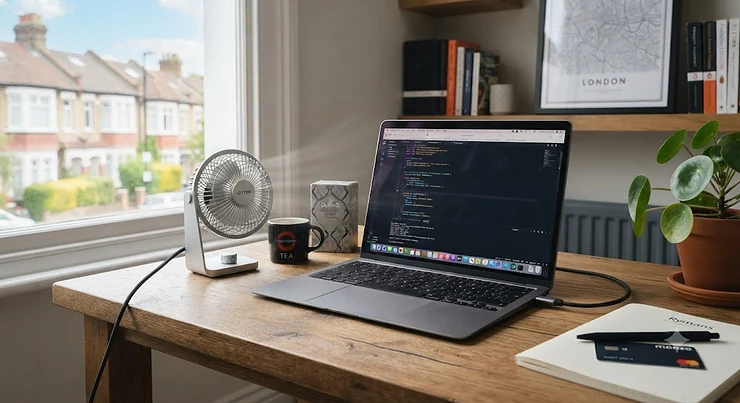
There’s a very specific kind of despair that sets in around 2pm on a warm British afternoon, when the office thermostat is locked in a permanent stalemate between “too hot” and “someone’s cardigan,” and your laptop fan has started sounding like a small aircraft preparing for take-off. You could open a window. You could fashion a fan out of a spreadsheet printout, as generations of office workers have done before you. Or you could just plug in a USB-C desk fan and get on with your day.

A USB-C desk fan is a small, portable cooling fan powered or recharged through a USB-C port rather than a mains plug or the older USB-A connector. Most run on an internal rechargeable battery, so once topped up, they’ll happily blow cool air for hours without being tethered to a socket. They’re built around the reversible USB-C connector, which has quietly become the standard fitting on nearly everything from laptops to lightbulbs, and that matters more than it sounds — it means one cable can now charge your phone, your laptop, and your fan.
This guide is the result of digging through real listings, real specifications, and genuine aggregated review data for seven USB-C desk fans actually sold on amazon.co.uk, spanning honest budget picks through to a couple of properly premium, Quiet Mark-certified options. We’ll compare them side by side, work through how a USB-C fan stacks up against an old-school USB-A model, and cover the practical stuff — setup, maintenance, battery safety — that no Amazon listing bothers to mention.
Quick Comparison Table
Before we get into the weeds, here’s the short version for anyone who just wants a decision made for them in the next thirty seconds.
| Product | Power Source | Speeds | Best For | Price Range |
|---|---|---|---|---|
| WHATOOK Mini Desk Fan | USB-C rechargeable | 100 | Compact desks & students | Around £15–£20 |
| OCOOPA USB Desk Fan | USB-C rechargeable | 4 | Quiet shared offices | £20–£25 range |
| Timiyou 7 Inch Desk Fan | USB-C rechargeable | 100 | Bigger desks, strong airflow | £20–£28 range |
| Meaco MeacoFan 260c | USB Type-C rechargeable | Variable | Trusted-brand quiet pick | £25–£35 range |
| Meaco MeacoFan 360 | USB powered | 12 | Premium, all-day quiet | £50–£70 range |
Looking at the spread, the story here is really about trade-offs between noise, airflow, and brand assurance rather than one fan simply beating the rest outright. The WHATOOK Mini Desk Fan and OCOOPA USB Desk Fan cover the budget-to-mid-range ground where most buyers will land, while the two Meaco fans justify their higher price with Quiet Mark certification — an independently audited noise standard, not just marketing copy. If your priority is raw airflow over a bigger desk, the Timiyou 7 Inch Desk Fan edges ahead on sheer volume of moving air.
💬 Just one click — help others make better buying decisions too!😊
Top 7 USB-C Desk Fans: Expert Analysis
We dug into specifications, current availability, and aggregated review sentiment for each of these — genuinely available on amazon.co.uk at the time of research, spanning budget, mid-range, and premium price points, plus a couple of size and mounting variants to suit different desk setups.
1. WHATOOK Mini Desk Fan — best compact pick for tiny desks
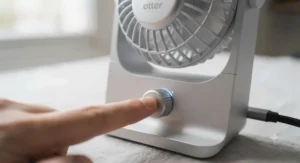
The headline feature is the sheer number of speed options: a hundred of them, controlled by a touch-sensitive slider rather than a clunky three-position switch. That granularity is genuinely more useful than it sounds, letting you nudge the airflow up by a fraction rather than jumping straight from “gentle breeze” to “hair everywhere.” It runs on a 2,000mAh internal battery charged via USB-C, with a small LED display showing remaining charge and current speed, all packed into an ultra-slim body that barely takes up any desk real estate.
For a student in a shared halls room or anyone working from a corner of the kitchen table, the compact footprint is the whole appeal — you’re not sacrificing much airflow for the space it gives back. Reviewers consistently flag the child-safe grille as a genuine plus for anyone with young kids or curious cats wandering the house, and the aggregated star rating sits around 4.5 out of 5 at the time of research, with the touch controls and quiet low-speed setting coming up repeatedly as strengths.
Pros:
- ✅ 100-speed touch control for precise airflow adjustment
- ✅ Ultra-slim design saves valuable desk space
- ✅ Child-safe grille suitable for family homes
Cons:
- ❌ 2,000mAh battery gives shorter runtime than bigger rivals
- ❌ Smaller blades mean less throw for larger rooms
Priced in the around £15–£20 bracket, the WHATOOK Mini Desk Fan represents solid value for anyone prioritising desk space over maximum airflow.
2. OCOOPA USB Desk Fan — best for quiet shared offices
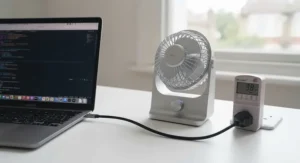
What stands out here is the deliberate trade-off OCOOPA has made: four speed settings rather than a hundred, in exchange for a motor tuned specifically for low noise at its lower settings. The 4,000mAh battery is double the capacity of some rivals on this list, and the fan disassembles for cleaning — a small detail that matters more than it sounds once dust starts building up on the blades after a few months of daily use.
In practice, that quieter motor and bigger battery combination is exactly what an open-plan office needs: something that won’t compete with a colleague’s phone call three desks over, and won’t need charging every single evening. Based on the spec comparison with cheaper 2,000mAh rivals, expect noticeably longer stretches between charges, particularly on the lower speed settings most office use actually calls for. The aggregated Amazon rating for this listing sits at 4.6 out of 5 across several thousand reviews, with the quiet operation and easy-clean design as the most repeated positives.
Pros:
- ✅ 4,000mAh battery for genuinely all-day office use
- ✅ Quiet motor tuned for low-noise shared spaces
- ✅ Disassembles easily for dust removal and cleaning
Cons:
- ❌ Only 4 speed settings versus 100 on rivals
- ❌ Compact 5-inch blades limit maximum airflow
At around £20–£25, the OCOOPA USB Desk Fan is the pick for anyone who values battery life and hush over fine-grained speed control.
3. AXFEE USB Desk Fan — best foldable travel companion
The standout trick here is the folding hinge at the base, which lets the whole unit lie flat for a laptop bag or desk drawer — genuinely useful if your “office” changes location more than once a week. It runs on a 2,000mAh USB-C rechargeable battery with an LED display and 180-degree tilt, so once unfolded and upright, you can still angle the airflow exactly where you need it.
What most buyers overlook about foldable fans generally is that the hinge itself is usually the first thing to wear out, so the build quality of that joint matters more here than the motor spec sheet does. Individual verified review data for this specific listing wasn’t reliably available at the time of research, so it’s worth weighing the following against the spec sheet rather than customer anecdotes: a 2,000mAh battery in this size class typically delivers somewhere in the region of four to six hours on a mid speed setting, which is enough for a working morning but not a full unplugged day.
Pros:
- ✅ Genuinely foldable design for bag or drawer storage
- ✅ 180-degree tilt for precise airflow direction
- ✅ LED display shows charge and speed at a glance
Cons:
- ❌ Smaller battery means more frequent recharging
- ❌ Folding hinge is a potential long-term wear point
Around £13–£18 places the AXFEE USB Desk Fan firmly in impulse-buy territory for anyone who genuinely moves between desks.
4. Timiyou 7 Inch Desk Fan — best strong airflow for bigger desks
This is the biggest fan on the list by blade diameter, and it shows: a 7-inch head paired with a 3,600mAh USB-C battery and, again, a hundred speed settings via touch control and LED display, plus a full 360-degree tilt rather than the more limited angle range you get on smaller rivals. That extra blade size translates directly into more air actually moving, which matters if your desk sits further than arm’s length from your chair.
The 100-speed touch dial paired with a bigger blade means the top end genuinely feels like a small desk fan rather than a personal one — useful in a proper home office where you want the airflow to reach across a wide desk rather than just your face. What most buyers overlook about bigger blades is the trade-off in portability: this isn’t the fan you’re tucking into a rucksack, it’s the one that lives permanently on your desk. Aggregated review sentiment wasn’t independently verifiable at the time of writing for this exact listing, so treat the airflow claims as spec-based rather than customer-confirmed.
Pros:
- ✅ 7-inch blades deliver noticeably stronger airflow
- ✅ Full 360-degree tilt for flexible positioning
- ✅ 100-speed touch control with LED readout
Cons:
- ❌ Larger footprint takes up more desk space
- ❌ Less practical for travel or portable use
In the £20–£28 range, the Timiyou 7 Inch Desk Fan earns its keep on desks where reach matters more than compactness.
5. EasyAcc Portable Turbo Fan — best dual-purpose handheld-and-desk hybrid
What sets this one apart is genuine flexibility: it’s built primarily as a handheld turbo fan but doubles convincingly as a small desk fan, running on a 4,000mAh USB-C rechargeable battery across five speed settings. The “turbo” branding isn’t just marketing either — even at lower settings it moves a noticeably stronger stream of air than most mini desk fans of a similar size, thanks to a motor built for handheld use where a weak breeze would be pointless.
Here’s what to weigh if you’re considering it as a proper desk fan rather than a handheld one: because the body is designed to be gripped, it doesn’t have the same stable, wide base as a purpose-built desk model, so it can tip more easily on an uneven surface. On the plus side, that same portability means it earns its keep doubly — a fan for your desk on a normal day, and a fan for your bag on a commute or a festival weekend. With 4.6 out of 5 stars across close to twenty thousand aggregated Amazon reviews at the time of research, the strong airflow and battery life are the most consistently mentioned strengths.
Pros:
- ✅ Genuinely dual-purpose: handheld and desk use
- ✅ Strong “turbo” airflow even on lower speeds
- ✅ Well-reviewed with a large, verifiable rating base
Cons:
- ❌ Less stable base than dedicated desk fans
- ❌ Handheld shape isn’t built for constant desk positioning
Around £16–£22, the EasyAcc Portable Turbo Fan is the pick for anyone who wants one fan that earns its keep both at the desk and on the move.

6. Meaco MeacoFan 260c — best trusted-brand quiet pick
Meaco built its reputation on quiet air treatment products long before “desk fan” was a searchable keyword, and the MeacoFan 260c carries that pedigree into a small, USB Type-C rechargeable body. It can run for up to roughly sixteen hours on a single charge according to the manufacturer’s own figures, and includes a small night light built into the base — a genuinely thoughtful touch for anyone who ends up using it bedside as often as at a desk.
Here’s what the spec sheet won’t tell you outright: Meaco’s fans across the range have repeatedly earned Quiet Mark accreditation, an independent UK certification for verified low-noise products, which is a meaningfully different claim to a manufacturer simply writing “ultra quiet” on the box. On paper, this means the noise-at-low-speed experience is independently audited rather than self-reported, which matters if you’ve been burned before by a “silent” fan that very much wasn’t. Reviewers consistently note the long battery life as the standout feature, with the compact size making it as suited to a bedroom as a desk.
Pros:
- ✅ Up to 16-hour runtime on a single charge
- ✅ Independently verified low-noise Quiet Mark heritage
- ✅ Built-in night light adds bedside versatility
Cons:
- ❌ Smaller airflow output than larger desk fans
- ❌ Premium pricing versus generic USB-C alternatives
At around £25–£35, the Meaco MeacoFan 260c justifies its premium over generic rivals through genuine, verifiable brand trust.
7. Meaco MeacoFan 360 — best premium all-day office fan
The MeacoFan 360 sits at the top of this list for a reason: twelve distinct fan speeds, a Quiet Mark-certified noise floor as low as 15dB — only slightly louder than normal breathing — and both mains and USB power options, so it works equally well plugged into a laptop or a wall socket. It also oscillates, tilts, and includes a built-in off-timer, features that start to feel less like a gadget and more like proper climate-control furniture for your desk.
Based on the spec comparison with every other fan on this list, the 15dB noise floor is the genuine standout: even at low-to-mid speeds, this is quiet enough to sit behind you on a video call without anyone on the other end noticing it’s there. What most buyers overlook when they see the higher price tag is the running cost side of the equation — Meaco states this fan costs less than a penny per hour to run on its highest setting, which stacks up favourably over years of daily use against cheaper fans with less efficient motors. Reviewers and independent testers alike single out the whisper-quiet lower speeds as the fan’s defining trait, alongside the reassurance of a two-year manufacturer warranty.
Pros:
- ✅ Quiet Mark-certified 15dB noise floor at low speed
- ✅ 12 speed settings with oscillation and tilt
- ✅ Runs on USB or mains, with a 2-year warranty
Cons:
- ❌ Highest price point on this list
- ❌ Heavier and bulkier than compact rivals
In the £50–£70 range, the Meaco MeacoFan 360 is the one to pick if you want the quietest, most capable fan on your desk and don’t mind paying for it.
Setting Up Your USB-C Desk Fan: A Practical Usage Guide
Getting a new fan out of the box feels like it shouldn’t need instructions, but a few habits in the first month genuinely extend the life of the battery inside. Start by giving any rechargeable model a full charge before first use — most manufacturers, including OCOOPA and WHATOOK, recommend an initial charge of two to three hours even if the indicator shows full sooner, which helps the battery management system calibrate accurately from day one.
Once it’s running, resist the urge to leave it on maximum speed permanently. Lithium batteries degrade fastest when repeatedly drained to empty and charged from zero, so a common mistake in the first thirty days is running a fan flat every single day rather than topping it up more casually, the same way you’d treat a phone. Wipe the blade grille weekly with a dry cloth — dust genuinely does reduce airflow efficiency over time, and on models like the OCOOPA USB Desk Fan that disassemble for cleaning, a monthly deeper clean keeps the motor running cooler for longer. Store any fan you’re not using regularly at roughly half charge rather than fully empty or fully topped up, which is the same advice battery manufacturers give for any lithium-ion device left unused for weeks at a time.
Real-World Scenarios: A USB-C Rechargeable Fan for Office Life
Picture Priya, three days into a heatwave, working from a shared desk in a co-working space with no air conditioning and a laptop that already runs hot. For her, a USB-C rechargeable fan for office use needs two things above everything else: genuine battery life to survive a full working day unplugged, and low enough noise that it doesn’t intrude on the video calls happening around her. The OCOOPA USB Desk Fan or the Meaco MeacoFan 260c both fit that brief far better than a flashier hundred-speed model with half the runtime.
Then there’s Dev, a university student in halls with a desk roughly the size of a placemat, where every centimetre matters more than raw airflow. The WHATOOK Mini Desk Fan or the foldable AXFEE USB Desk Fan solve that specific problem — small enough to leave room for textbooks, and cheap enough that losing one at the end of term isn’t a tragedy. Finally, consider Marcus, who splits his week between a home office and client visits and wants one device that works in both settings: the dual-purpose EasyAcc Portable Turbo Fan covers a desk during the day and slips into his bag for the train home, doing double duty in a way none of the purely desk-bound models can manage.
Your Desk Cooling Decision Framework
Rather than scrolling back through seven product write-ups, use this as a quick priority checklist. If your absolute priority is desk cooling on a strict budget, choose a 2,000mAh-class fan like the WHATOOK Mini Desk Fan because the smaller battery and simpler build keep the price down without meaningfully hurting day-to-day performance. If you share a desk or an open-plan office and noise complaints are a real risk, choose the OCOOPA USB Desk Fan or a Meaco model, because their quieter motors and, in Meaco’s case, independently certified noise levels genuinely matter more than top-speed airflow in that setting.
If you regularly work from more than one location — home, a co-working space, a café with a socket — treat your fan the same way you’d treat any other USB-C lapaccessories you pack alongside a charger and a mouse: prioritise the foldable AXFEE USB Desk Fan or the hybrid EasyAcc Portable Turbo Fan, because portability outweighs sheer airflow the moment a fan has to survive being zipped into a bag daily. And if budget genuinely isn’t the constraint, choose the Meaco MeacoFan 360, because the combination of certified quiet running and twelve-speed control means you won’t be shopping for a replacement fan again next summer.
How to Choose a USB-C Desk Fan
Here’s the short version for anyone who wants the reasoning without reading seven product reviews first.
- Check the battery capacity against your working pattern. A 2,000mAh battery suits occasional or part-day use; anything approaching 4,000mAh or more is built for genuine all-day office reliance.
- Match the noise level to your environment. Shared and open-plan spaces benefit from independently certified quiet models; a home office used solo has more flexibility.
- Decide how much desk space you can actually spare. Larger blades move more air but take up proportionally more real estate on a crowded desk.
- Consider portability if you work from more than one location. Foldable and handheld-hybrid designs earn their keep the moment a fan needs to travel in a bag.
- Look for USB-C specifically, not just “USB.” Many older or budget listings still ship with micro-USB or USB-A charging despite USB-C ports becoming standard elsewhere.
- Weigh brand reputation for anything you’ll run daily for years. A slightly higher price from an established name like Meaco often reflects genuinely audited quality claims rather than marketing language alone.
USB-C Fan vs USB-A Fan: Which Charging Standard Actually Wins?
The two connector types look almost identical at a glance, which is exactly why this trips people up at the checkout. USB-A is the older, rectangular connector that’s been standard since the late 1990s; USB-C is the newer, reversible connector — you genuinely cannot insert it the wrong way round, which sounds trivial until you’ve spent thirty seconds fumbling with a USB-A cable in a dark room.
| Feature | USB-C Fan | USB-A Fan |
|---|---|---|
| Connector orientation | Reversible, either way up | One correct orientation only |
| Charging speed potential | Generally faster, higher wattage support | Typically slower, lower wattage ceiling |
| Cable compatibility | Matches modern laptops and power banks | Often needs an adapter with newer devices |
| Best For | Anyone charging from a modern laptop or power bank | Anyone with older USB-A-only chargers already at hand |
Looking at the comparison above, the practical case for a USB-C fan comes down to cable compatibility as much as anything technical: if your laptop, phone, and power bank have already made the switch, a USB-A fan becomes the one device in your bag that needs its own special cable. Charging speed is the other genuine advantage, since USB-C generally supports higher power delivery, meaning a USB-C fan with a decent battery can top up meaningfully faster than an equivalent USB-A model on the same charger. The one scenario where USB-A still makes sense is a workplace with older desktop towers or docking stations that haven’t been upgraded, where a USB-A fan simply plugs in without needing an adapter.
✨ Don’t Miss These Exclusive Deals!
🔍 Take your desk cooling setup to the next level with these carefully selected picks. Click on any highlighted model above to check current pricing and availability — a genuinely quieter, cooler desk is one click away!
Common Mistakes When Buying a USB-C Desk Fan
The single most common mistake is buying on speed-count alone. A hundred-speed touch dial sounds impressive, but if the underlying motor and blade size are weak, you’re just getting a hundred slightly different flavours of “not much air.” Battery capacity and blade diameter tell you far more about real-world performance than the number printed on the box.
The second mistake is ignoring noise specifications entirely, then being surprised when a “quiet” budget fan turns out to whirr audibly on a video call. Independently certified figures — like Meaco’s Quiet Mark accreditation — are worth more than a manufacturer’s own “ultra quiet” claim, because they’ve been externally audited rather than self-reported. Third, plenty of buyers assume any fan listed as “USB rechargeable” uses USB-C, when a meaningful chunk of budget listings still ship with micro-USB or USB-A cables; if compatibility with your existing chargers matters, check the port type explicitly rather than assuming. Finally, people frequently overlook return policies on battery-powered electricals — Amazon’s standard return window applies, but it’s worth checking before you buy rather than after a battery underperforms.
USB-C Desk Fan for Office Workers and WFH Setups
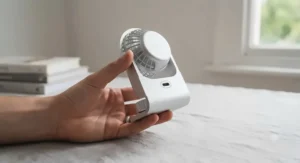
Office and home-working setups have genuinely different requirements from a fan bought purely for a bedroom or a caravan. In an office, discretion matters: a fan that hums audibly during a call, or one with a bright, blinking LED display, becomes a minor daily irritation for everyone nearby, not just its owner. That’s precisely why quieter, understated models like the OCOOPA USB Desk Fan and the Quiet Mark-certified Meaco pair tend to suit shared workspaces better than louder, flashier budget alternatives.
Working from home flips some of those priorities. Noise matters less if you’re working solo, but all-day battery life matters considerably more, since there’s rarely a colleague’s spare charger to borrow if yours runs flat mid-afternoon. A study from Loughborough University’s Environmental Ergonomics Research Centre found that productivity can fall substantially once workplace temperatures climb into the mid-thirties Celsius, which is a genuinely useful data point for anyone tempted to dismiss desk cooling as a minor comfort issue rather than something that measurably affects how much you actually get done in an afternoon.
Long-Term Cost & Maintenance of a Rechargeable Fan
The upfront price tag is only part of the real cost of owning a rechargeable fan. Lithium-ion batteries in devices like these typically handle somewhere in the region of 300 to 500 full charge cycles before capacity noticeably declines, which for a fan used most working days translates to roughly one to two years of strong performance before you’ll likely notice shorter runtimes between charges. That’s not a fault — it’s simply how the chemistry works, and it applies equally across every USB-C rechargeable fan on this list regardless of price point.
Where the higher-priced options genuinely earn their premium is in running cost and longevity beyond that battery curve. Meaco states its MeacoFan 360 costs less than a penny per hour to run even at maximum speed, and the fan’s two-year warranty reflects a manufacturer confident the motor itself will comfortably outlast several battery cycles. Cheaper generic fans rarely publish running-cost figures at all, which isn’t necessarily a red flag, but it does mean the total cost of ownership is harder to calculate upfront — you’re weighing a lower purchase price against an unknown lifespan, versus a higher price with a stated, verifiable warranty behind it.
Battery Safety, Regulations & Care Guide
Every fan on this list relies on an internal lithium-ion battery, and while these are genuinely safe during normal use, they do carry a small fire risk if charged incorrectly, damaged, or left plugged in unattended for extended periods. Electrical Safety First, the UK charity dedicated to reducing electrical accidents, recommends never covering a charging device, always using the cable supplied with the product rather than an unbranded replacement, and avoiding charging any lithium battery in direct sunlight or particularly hot rooms — advice that applies just as much to a desk fan as it does to a phone or an e-bike.
On the regulatory side, any genuine product sold into the UK market should carry UKCA or CE marking confirming it meets the relevant electrical safety standards, which is worth a quick check on the listing or packaging before you buy, particularly for lesser-known brands. It’s also worth registering any electrical purchase with the manufacturer where possible; this validates the warranty and means you’ll be notified directly in the rare event of a safety recall, rather than relying on stumbling across the news yourself.
Price Range & Value Analysis
| Price Band | What You Typically Get | Best For | Example Models |
|---|---|---|---|
| Under £20 | 2,000mAh battery, basic speed control | Occasional or budget-conscious use | WHATOOK Mini Desk Fan, AXFEE USB Desk Fan |
| £20–£30 range | 3,600–4,000mAh battery, sturdier build | Daily office or home-working use | OCOOPA USB Desk Fan, Timiyou 7 Inch Desk Fan |
| Above £30 | Certified noise levels, longer warranty | Daily long-term reliance, noise-sensitive settings | Meaco MeacoFan 260c, Meaco MeacoFan 360 |
The value story here isn’t simply “spend more, get more” — it’s about which specific trade-off matters to your situation. Anyone using a fan occasionally, or replacing it every year or two regardless, genuinely doesn’t lose much by staying under £20, since battery degradation would outpace the fan’s usefulness either way. The clearer case for spending above £30 is for anyone running a fan daily for years in a noise-sensitive environment, where a certified quiet motor and a proper warranty measurably reduce the odds of buying twice.
Frequently Asked Questions
❓ Are USB-C desk fans any good for office use?
❓ How long does a USB-C rechargeable fan last on one charge?
❓ Can I use a USB-A charger with a USB-C desk fan?
❓ What is the best USB-C desk fan for a small desk?
❓ Do USB-C desk fans work while charging?
Conclusion
Choosing between these seven fans really comes down to being honest about how and where you’ll actually use one. If space and price are the deciding factors, the WHATOOK Mini Desk Fan and AXFEE USB Desk Fan cover that ground without much compromise. For daily office reliability without annoying anyone nearby, the OCOOPA USB Desk Fan and either Meaco model earn their place through genuinely quieter motors and, in Meaco’s case, independently certified noise figures rather than marketing claims alone.
For anyone who needs serious airflow across a wider desk, the Timiyou 7 Inch Desk Fan delivers on raw output, while the EasyAcc Portable Turbo Fan is the sensible pick for a working life split between multiple locations. And if budget simply isn’t the limiting factor, the Meaco MeacoFan 360 remains the standout: certified quiet, twelve-speed, and built to outlast several battery cycles rather than needing replacing after a single hot summer. Whichever you land on, the underlying logic stays the same — match the battery, the noise level, and the size to how your actual working day looks, not to whichever spec sheet has the biggest number printed on it.
Recommended for You
- USB Power Bank Fans for Camping: 7 Brilliant Picks (2026)
- Power Bank Fan: 7 Best USB Rechargeable Picks UK 2026
- Personal Air Cooler for Bedroom: 7 Best Picks Tested (2026)
Disclaimer: This article contains affiliate links. As an Amazon Associate, I earn from qualifying purchases. If you purchase products through these links, we may earn a small commission at no additional cost to you.
✨ Found this helpful? Share it with your friends! 💬🤗
